Stock Export - Google & Facebook Product Feed - Textalk Abicart
The stock export feature allows you to include your product inventory levels in your Google and Facebook product feeds. This gives you greater control over how your stock data is used for campaign segmentation and targeting in Google Merchant Center and Meta.
This is an optional feature used exclusively for Google and Facebook product feed integration.
Setting up stock information mapping
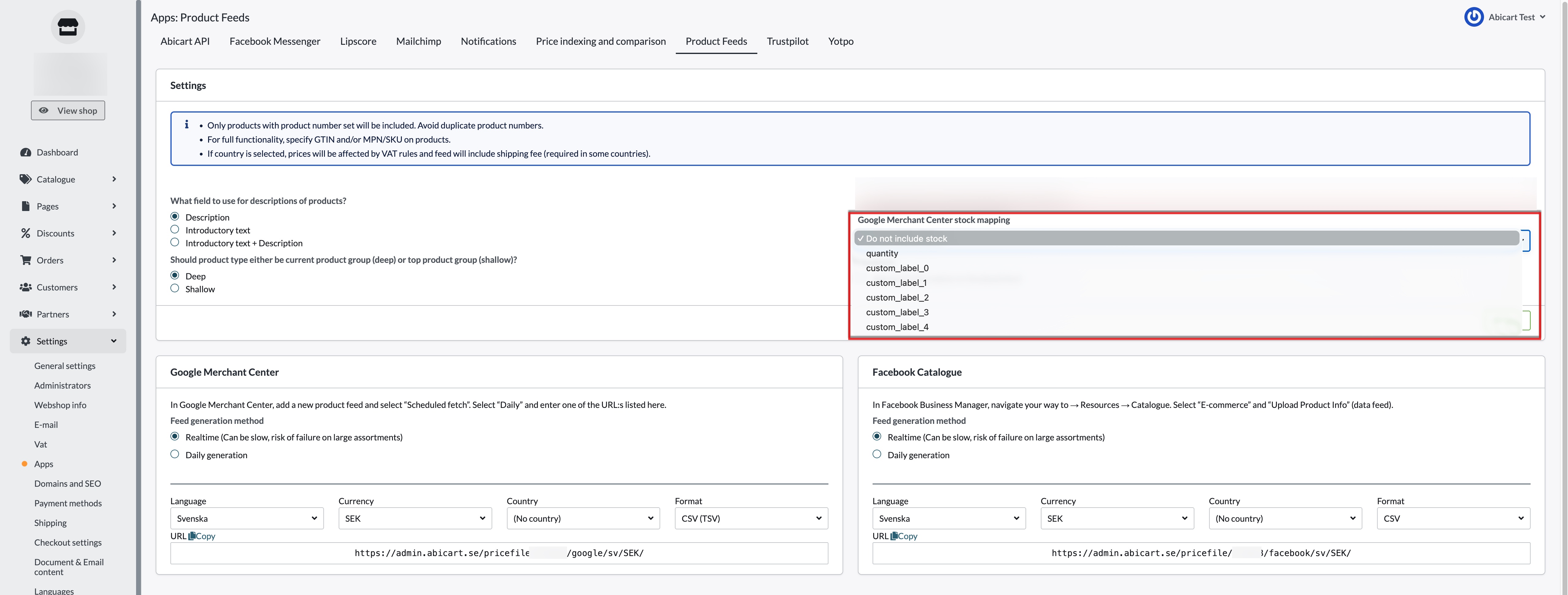
Go to Settings → External Connections → Product Feed → Google & Facebook stock information mapping.
Enable the stock export option and choose which product feed field your stock quantity should be linked to:
quantity— sends stock levels directly as the product quantity field in the feed.custom_label_0throughcustom_label_4— maps stock to one of the five available custom label fields, allowing you to use it for product segmentation in Google Merchant Center.
Select your preferred field and save.
About custom labels
Custom labels (custom_label_0 to custom_label_4) are optional fields in the Google product feed used to segment products in Shopping campaigns. By mapping your stock to a custom label, you can create campaign rules that behave differently depending on whether a product is well-stocked or running low.
Note: Custom label values are not shown to customers. They are only visible within Google Merchant Center.
If you are already using custom labels for other segmentation purposes (e.g. sale status, margin tier), make sure to map stock to a label that is not already in use.
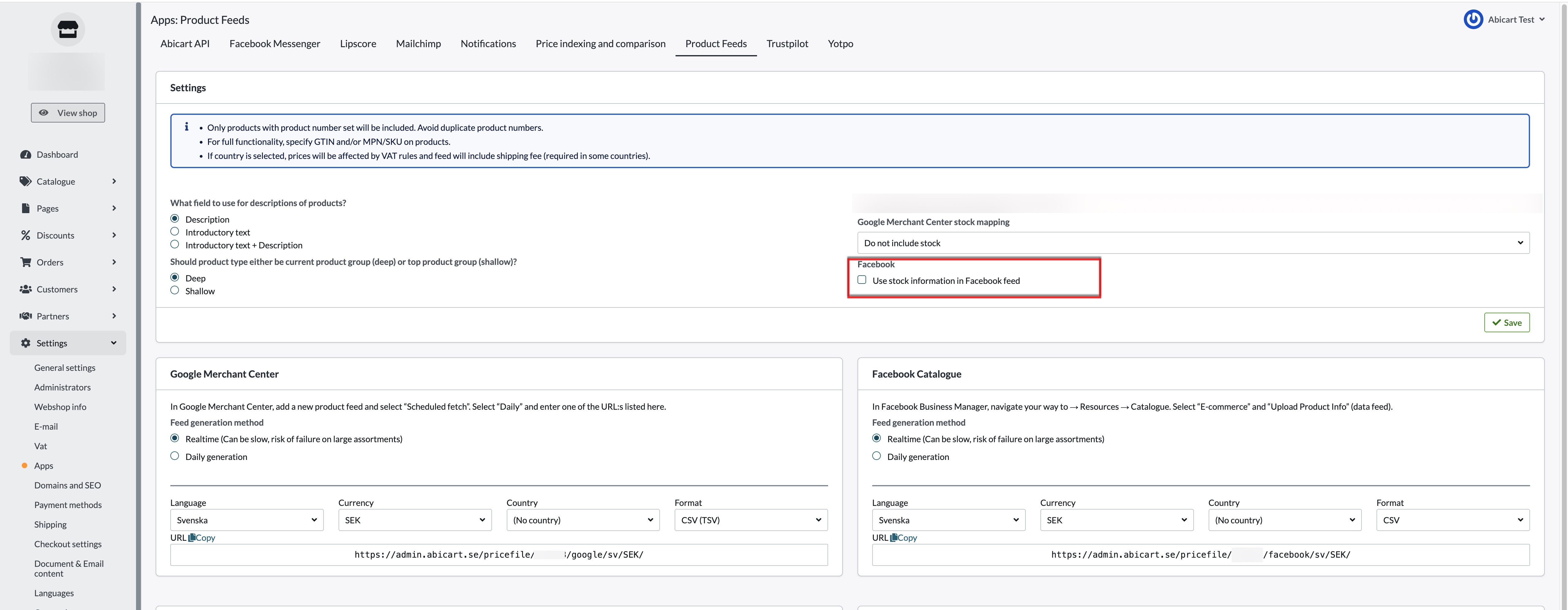
Enable the stock export option to include your stock quantity in the Facebook product feed. No additional field mapping is required.
If you have any questions, please contact customer support and we will be happy to help.