Shipping and delivery: Pick up in store - Textalk Abicart
Video guide
Download in store
Settings >> Shipping >> +New shipping method
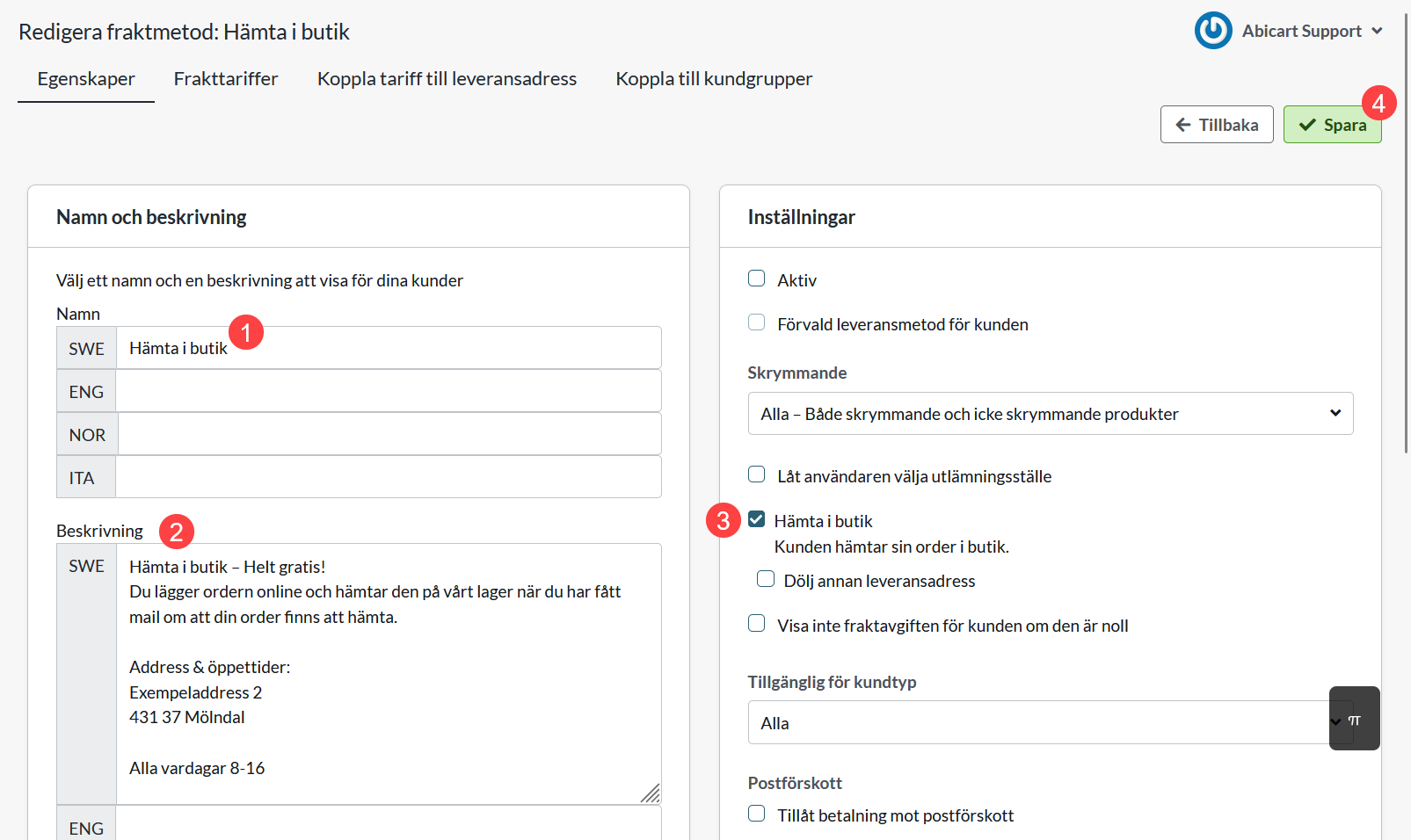
1) Create a new shipping method and name it
2) Enter a description
3) Check the box "Pick up in store"
Checking this setting is important as it excludes the delivery method from your product feed. Without this setting, misleading information about the free delivery method will be sent to Google.
4) Click on Add
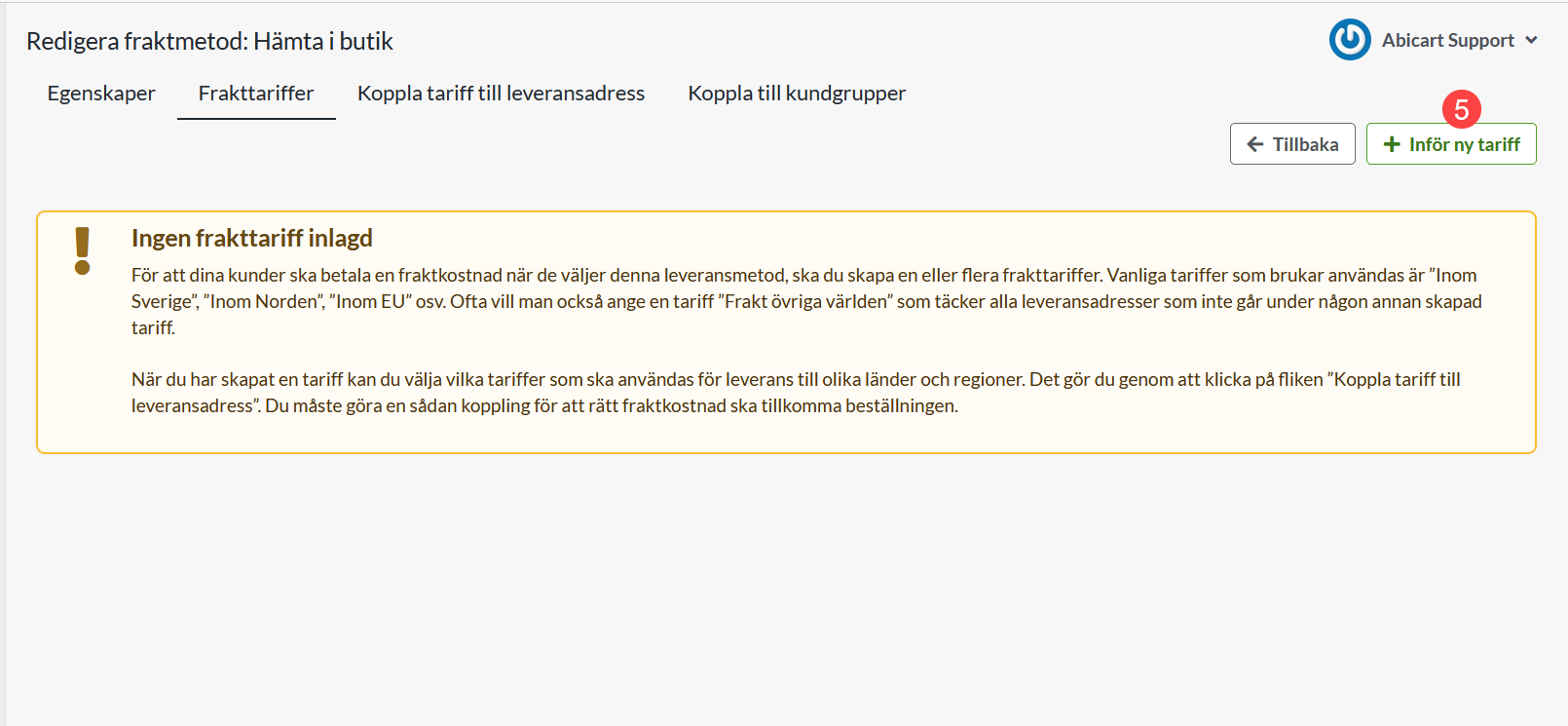
5) Click on Shipping Tariffs >> Introduce new tariff
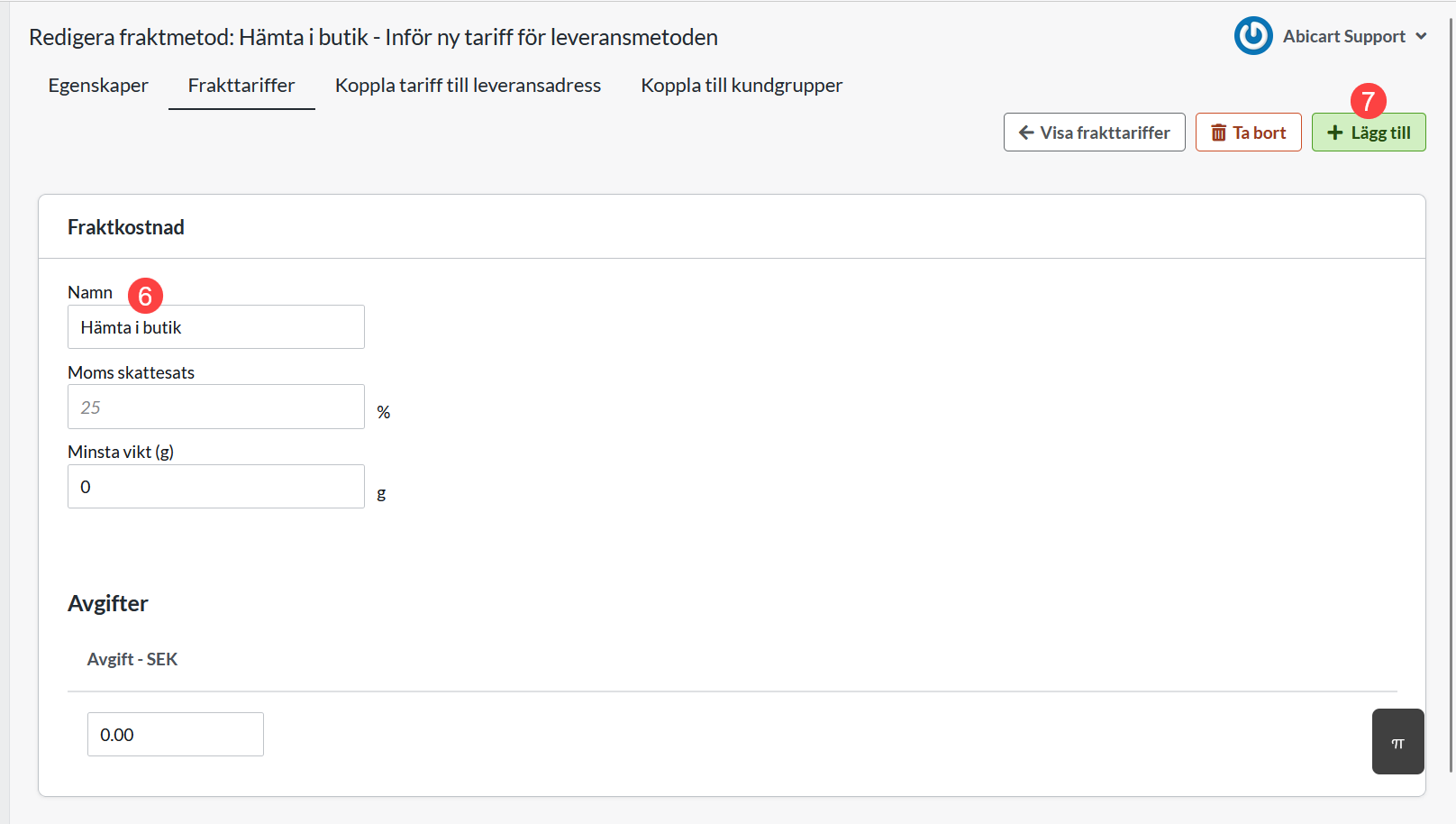
6) Name the tariff
7) Click on Add
8) Click on Link tariff to delivery address
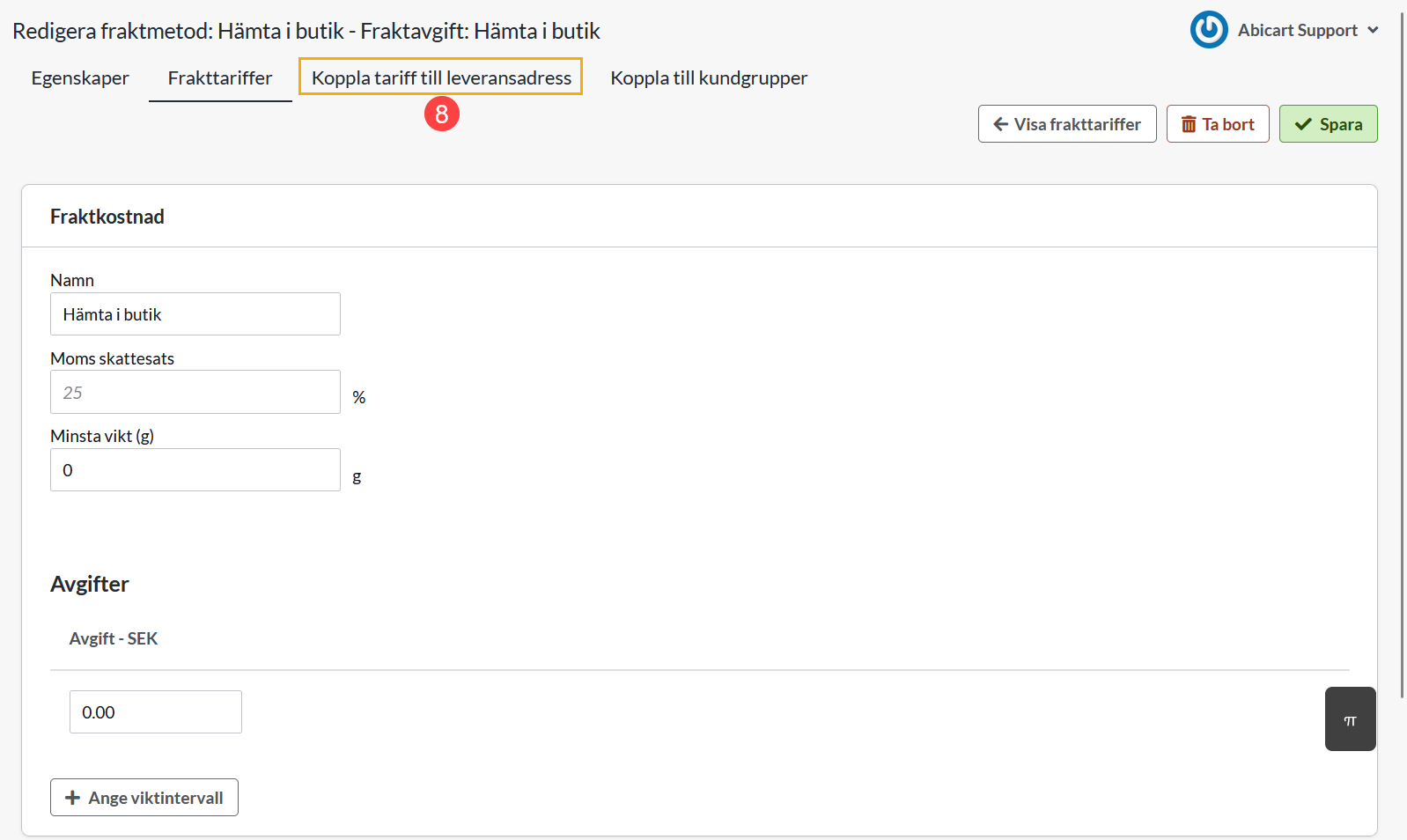
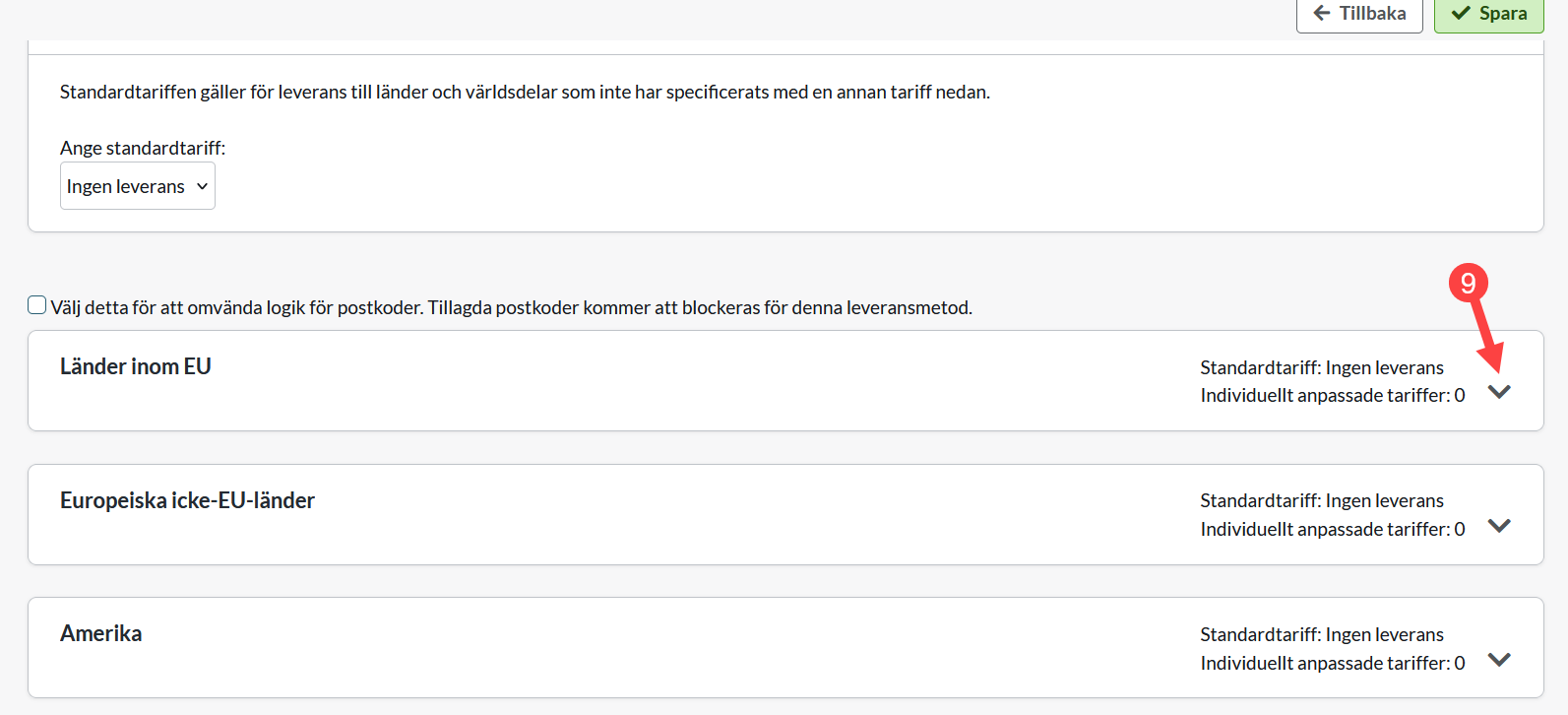
9) Click on the arrow for countries within the EU*
*If your store or warehouse for collection is located in a country other than the EU, select the section that lists the country.
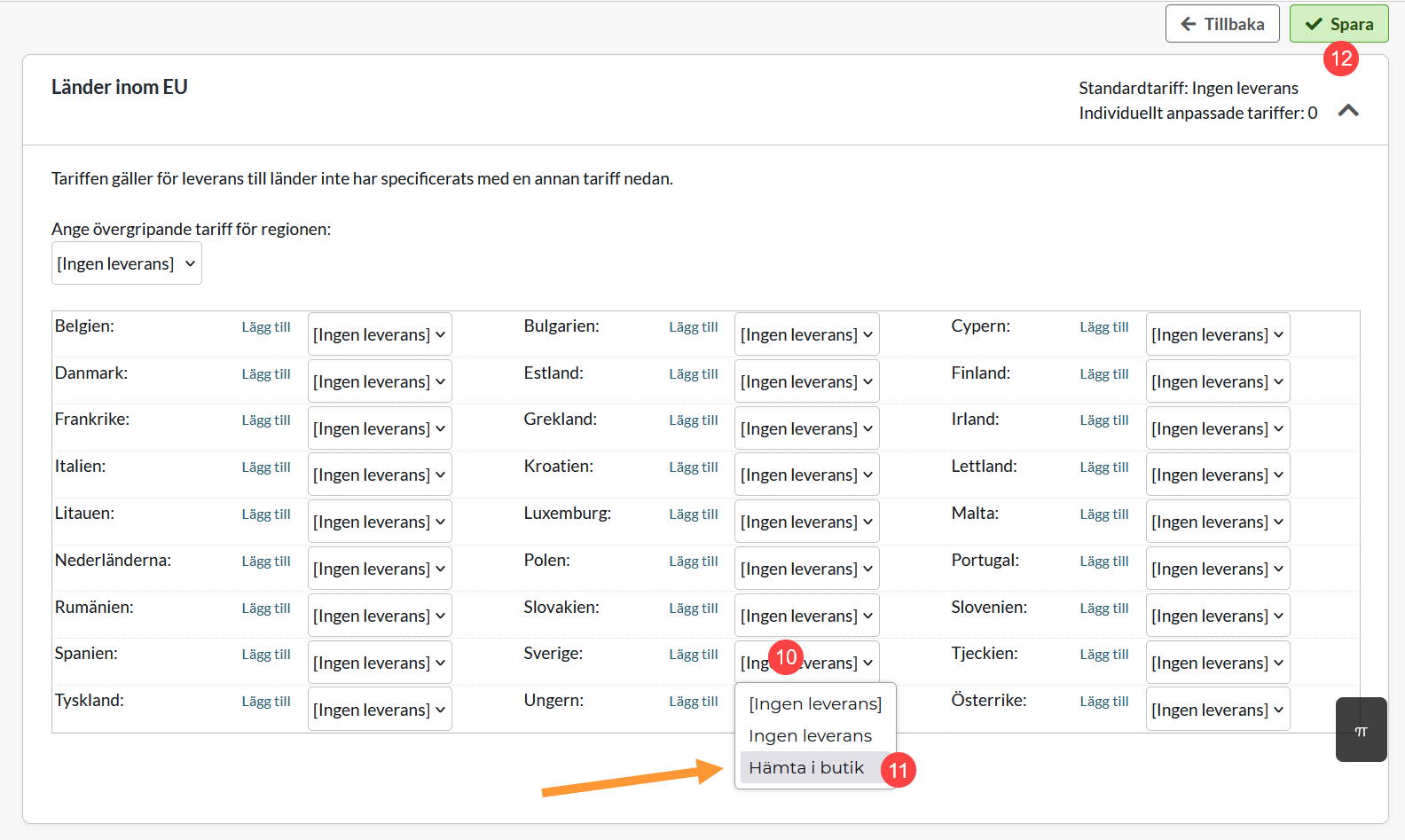
10) Click on the country
11) Click on the tariff you recently created
12) Save
Now you see that a country has an active tariff: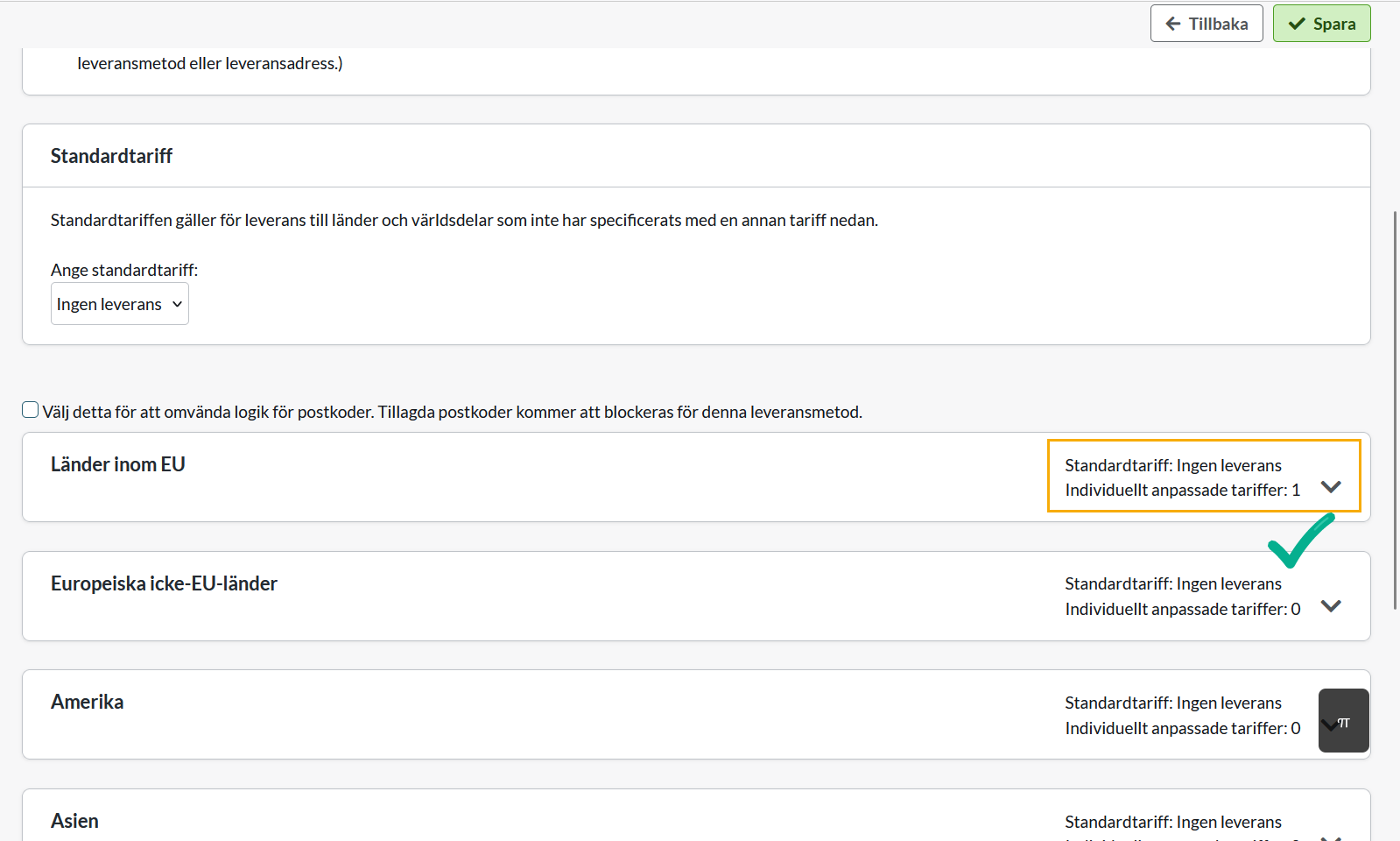
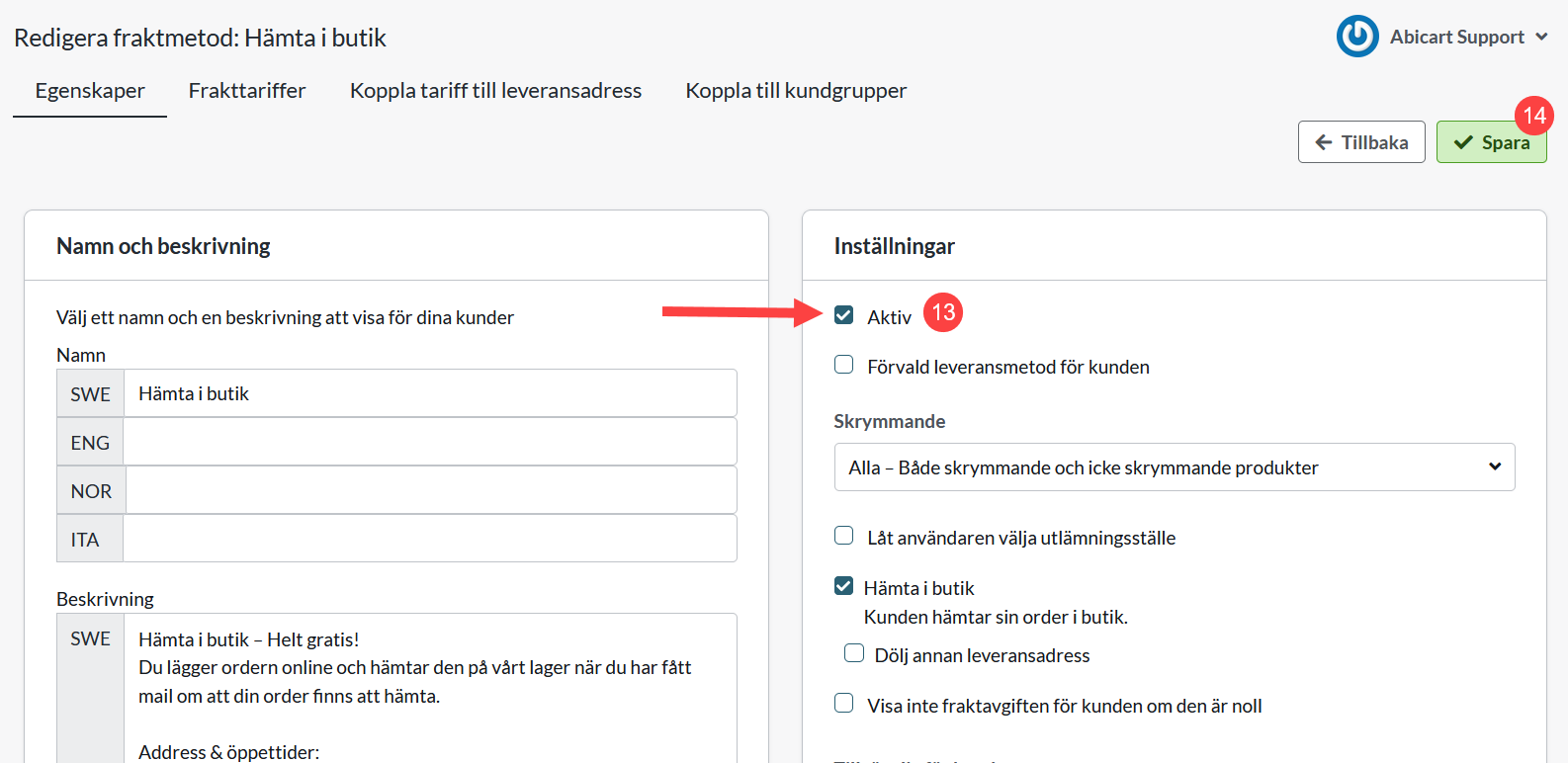
13) Click on Properties >> Check Active to activate the delivery method
14) Save
Done!