Product feed: Prisjakt - Textalk Abicart

Note that this is our new feed for Prisjakt. You should use this instead of the previous price files found under Settings -> External links -> Price comparison system.
What properties must be filled in on the product?
For a product to be included in the feed, the following properties must be entered:
- article number
- product name
- description and/or introductory text
- product group
- price
- Brand name* or GTIN
- Google Taxanomi
* activate brand name under Assortment -> Settings -> Product attributes
Google Taxonomy
You can choose taxonomy on the product group or on the product. If you choose on the product group, all products in the group will inherit the selected taxonomy.
Enter Google Taxonomy on a product
Go to Products -> select a product, edit -> in the box "Categorization" on the right there is Google Taxonomy.
Enter Google Taxonomy on a product group
Go to Products -> Product groups -> select a product group, edit -> under General there is Google Taxonomy.
Enter for example "clothes" in the search bar and choose the category that fits best. You can also set a category on an entire product group/subgroup and choose that the products in that group will inherit the category (then you do not have to go into each individual product):
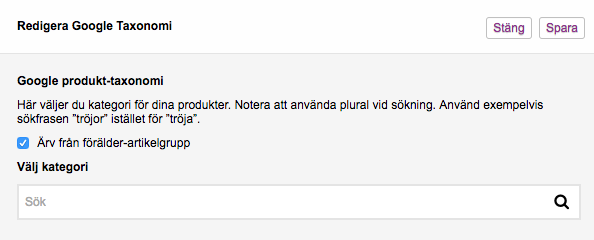
You can't create your own categories, everything is retrieved from Google. You must therefore choose one of the existing ones.
Generate URL to the product feed
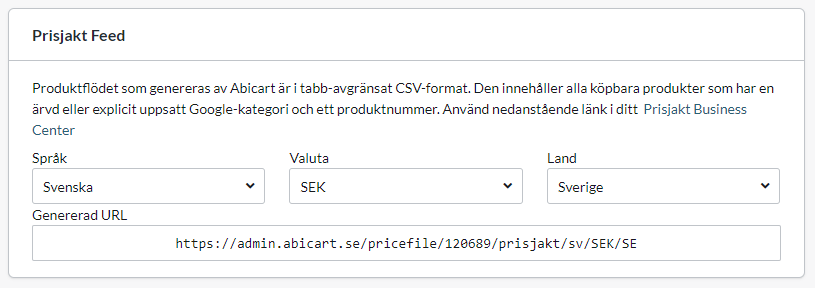
Go to Settings -> External links -> Product feeds. In the "Prisjakt Feed" box, select language, currency and country. Then copy the "Generated URL" and add it to Prisjakt's administration. The feed will then contain all products in the store that have the required properties (see above).