Specified page could not be found (404 page) - Textalk Abicart
What is a 404 page?
A 404 page is an HTTP status code that indicates that the requested web page cannot be found on the server where it is expected to be located. When a visiting user tries to reach a particular web address (URL), the server sends back an HTTP status code to indicate the result of the request. The status code 404, or "Not Found" in English, means that the server could not find the requested page.
When a user lands on a 404 page, it means that the requested web page has either been deleted, moved to another location, or never existed. Instead of displaying a blank page, website owners can create a 404 page that provides relevant information to the user, such as notifying them that the page could not be found and perhaps providing some alternative links or search tools to help the user find what they are looking for.
Editing the 404 page
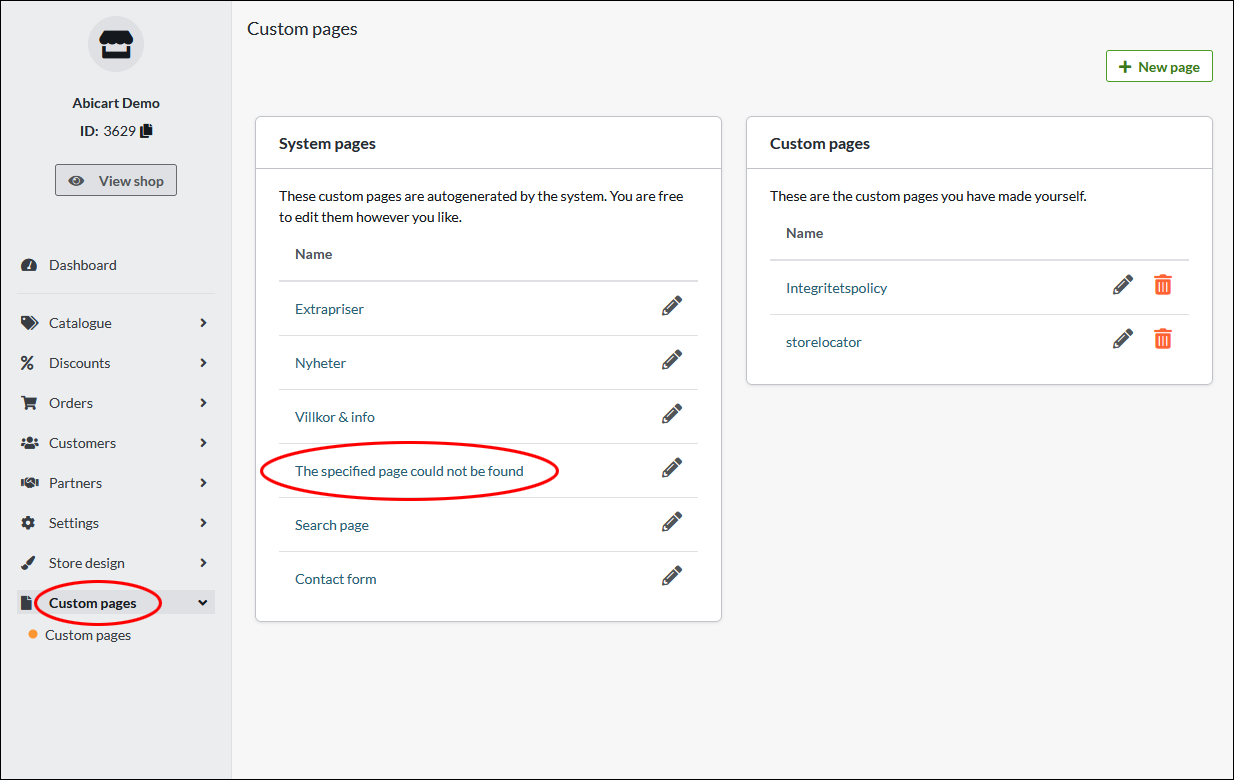
Under "Custom pages" there is a default page called "Specified page could not be found". It appears when a visitor lands on a page that no longer exists. Click on the page to edit the content.
A default text is displayed that can be freely modified.
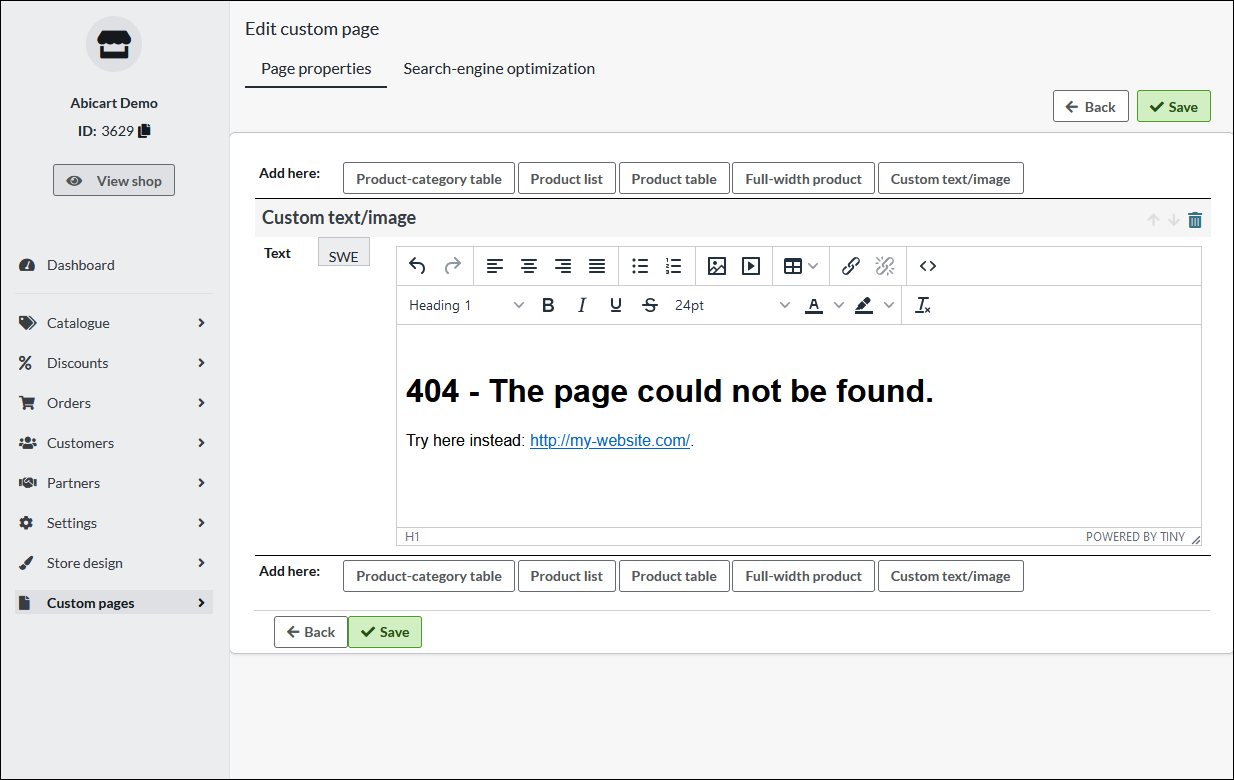
A tip is to always include a link to the shop's home page so that the visitor can easily move on and look for similar products via the shop's search function or by navigating the menu.