FAQ - GA4 Via GTM Enhanced Ecommerce Package - Textalk Abicart
FAQ
Once you have implemented Enhanced Ecommerce, you can start analyzing data about sales in your webshop. However, Google Analytics will still encourage you to complete GA4. You will get far with just Enhanced Ecommerce, but if you use Google Ads or Audiences, these need to be linked/created. The completion of that is not included in the Enhanced Ecommerce setup package.
Useful Google guides:
- [GA4] Configure your GA4 property using Setup Assistant
- Universal Analytics fasas ut
- [UA→GA4] Automatiskt skapade Google Analytics 4-egendomar
Why do I still see the UA upgrade message in my Google Analytics?
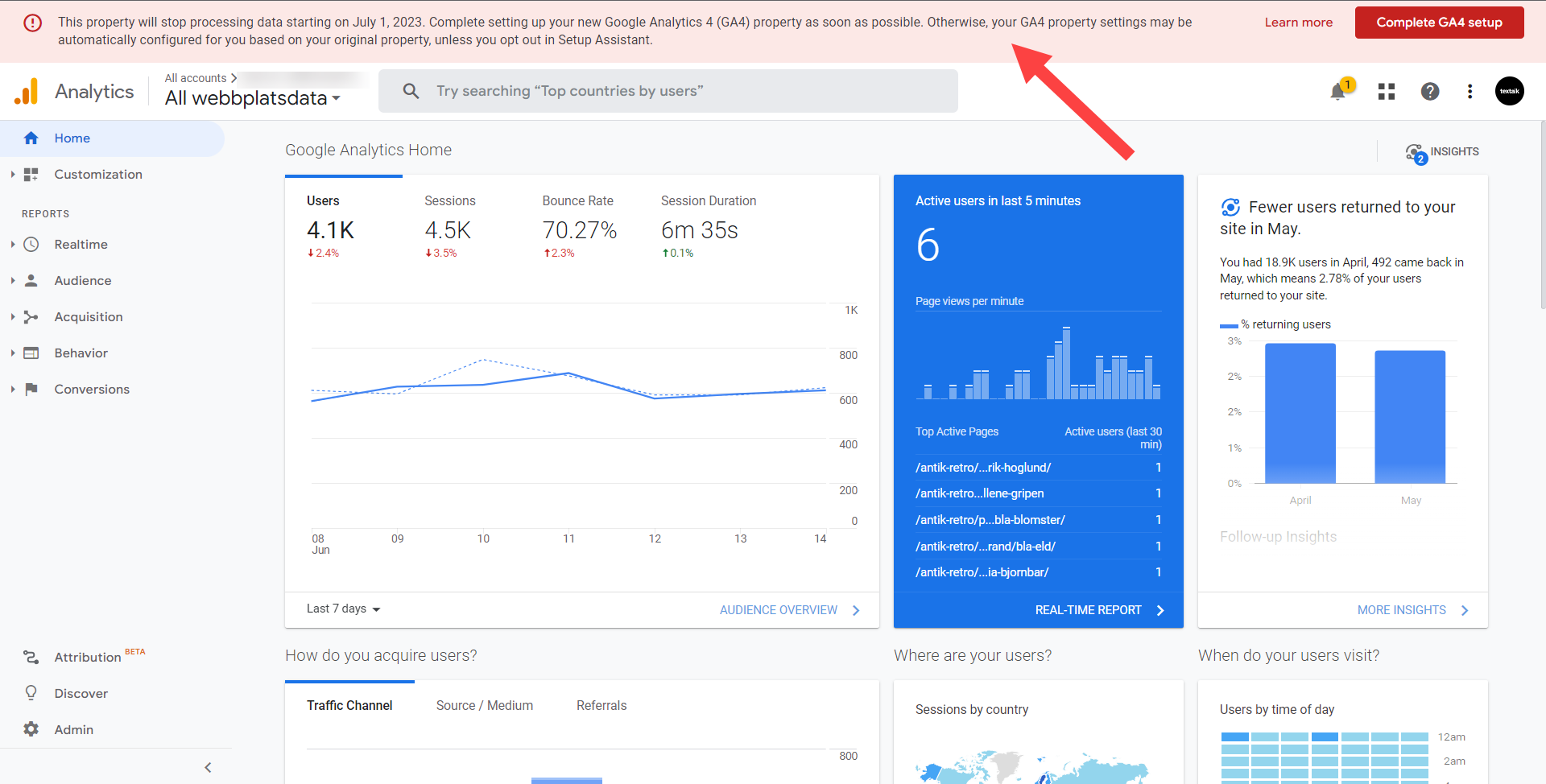
The red text box at the top of the page in Google Analytics which encourage switching to GA4 is a standard message that Google displays regardless of whether you've started using GA4 or not.
You can ignore this message if we have reached out to you to let you know GA4 and Enhanced Ecommerce has been implemented per your order.
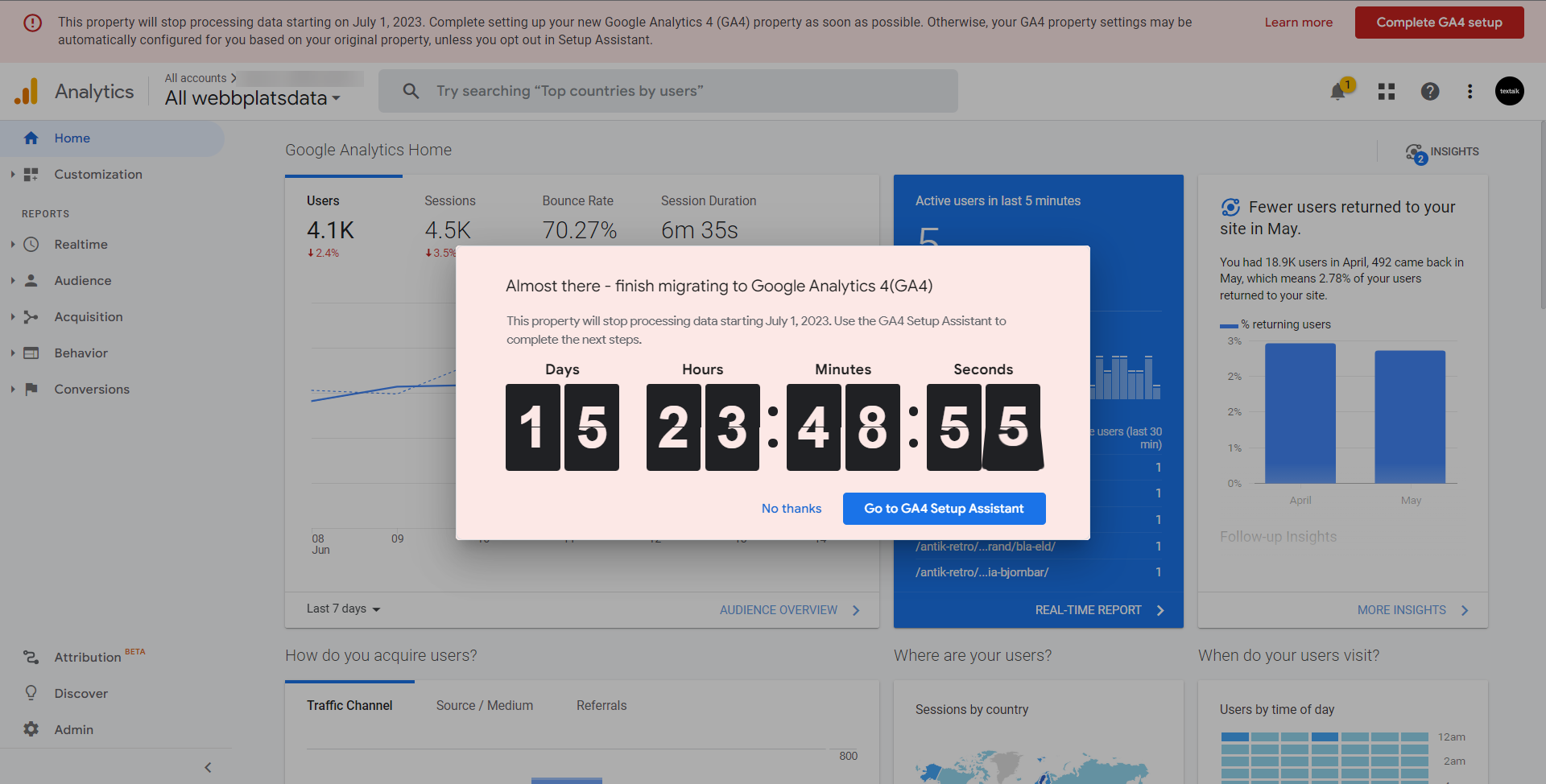
The count down pop-up in Google Analytics >> Universal Analytics can also be ignored if you have purchased the enhanced ecommerce package and heard back from us.
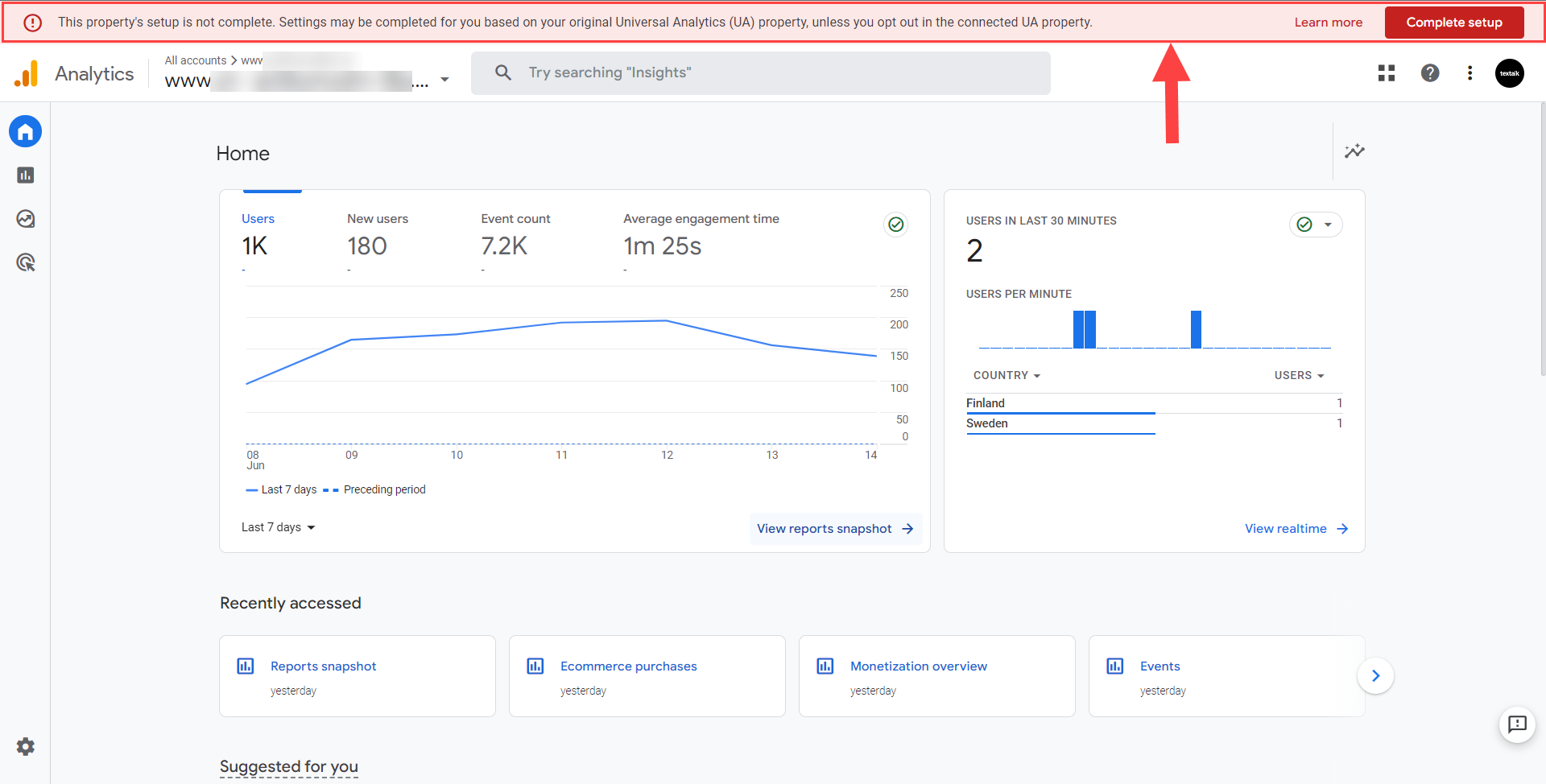
Why does a message in Google Analytics say I need to complete my GA4 even though I bought the Enhanced Ecommerce package?
Enhanced Ecommerce is a part of GA4, but the configuration of Enhanced Ecommerce will not complete your GA4 setup. The red top message in the GA4 section is asking you to complete your GA4 setup. Read more here:
[GA4] Konfigurera din GA4-egendom med hjälp av konfigurationsassistenten
(The package include "Implementation of GA4 and GTM" which means we implement GA4 and GTM-related to Enhanced Ecommerce. If you don’t have a GA4/GTM account we create it for you, but completing the GA4 setup still remain. Hence the message)
Where do I see the implementation of the enhanced ecommerce package?
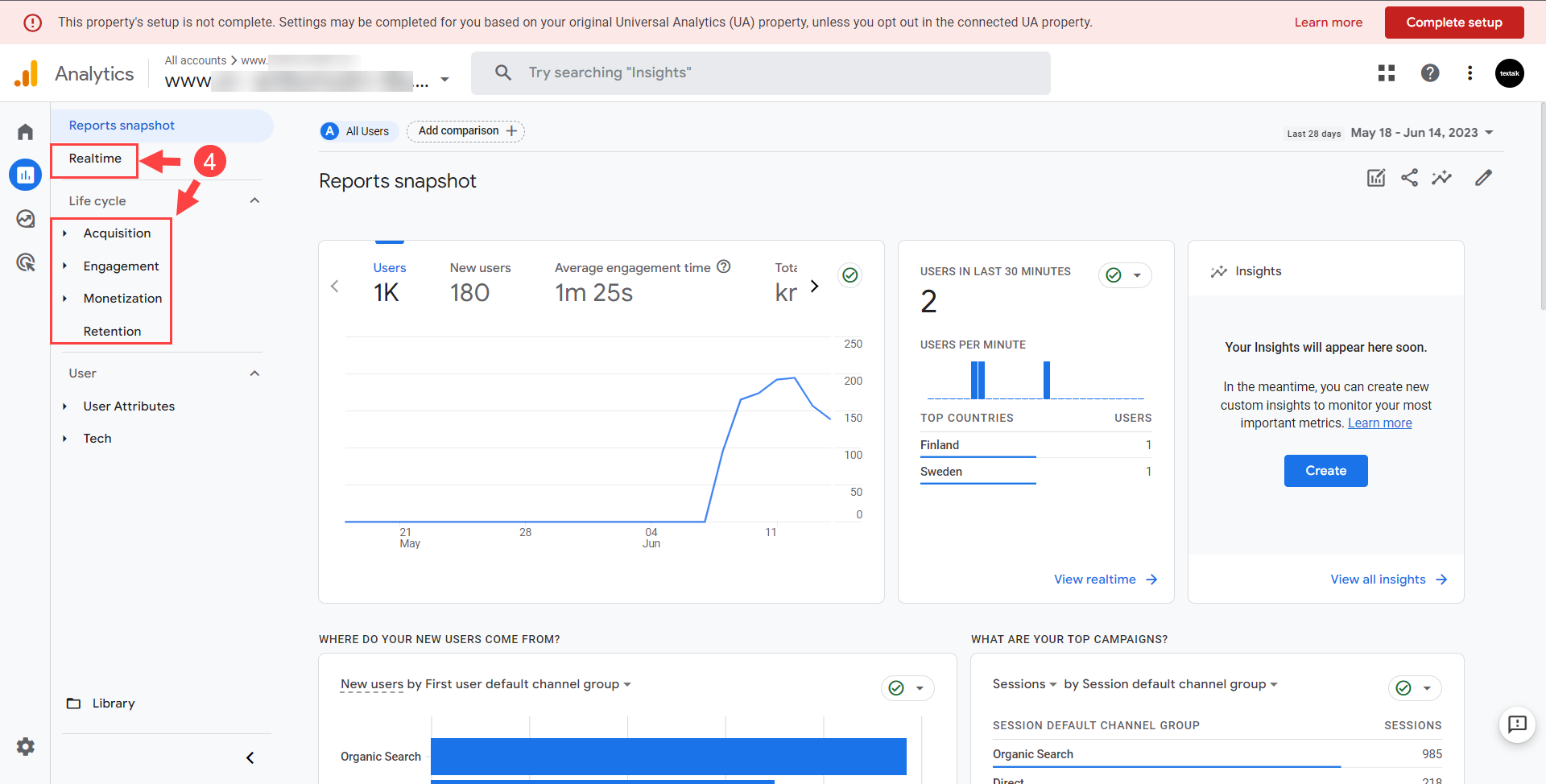
In the section of GA4 >> Reports >> Acquisition, Engagement & Monetization. See navigation under the next question.
How do I navigate in GA >> GA4?
When you start at the home screen you might be in the UA section. From there you (1) click on "All webshop data"
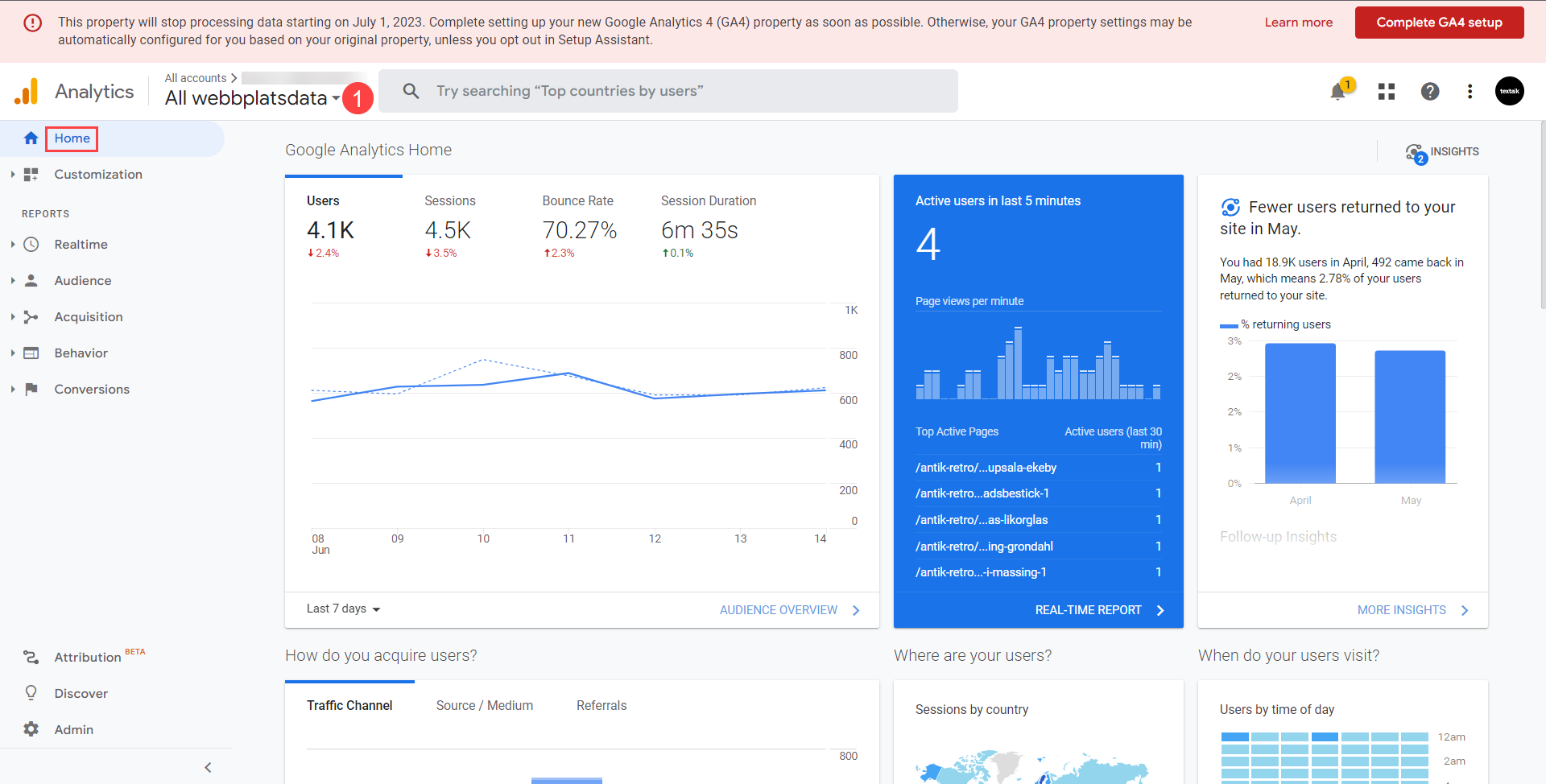
(2) Then you hover over the GA4 option and click open:
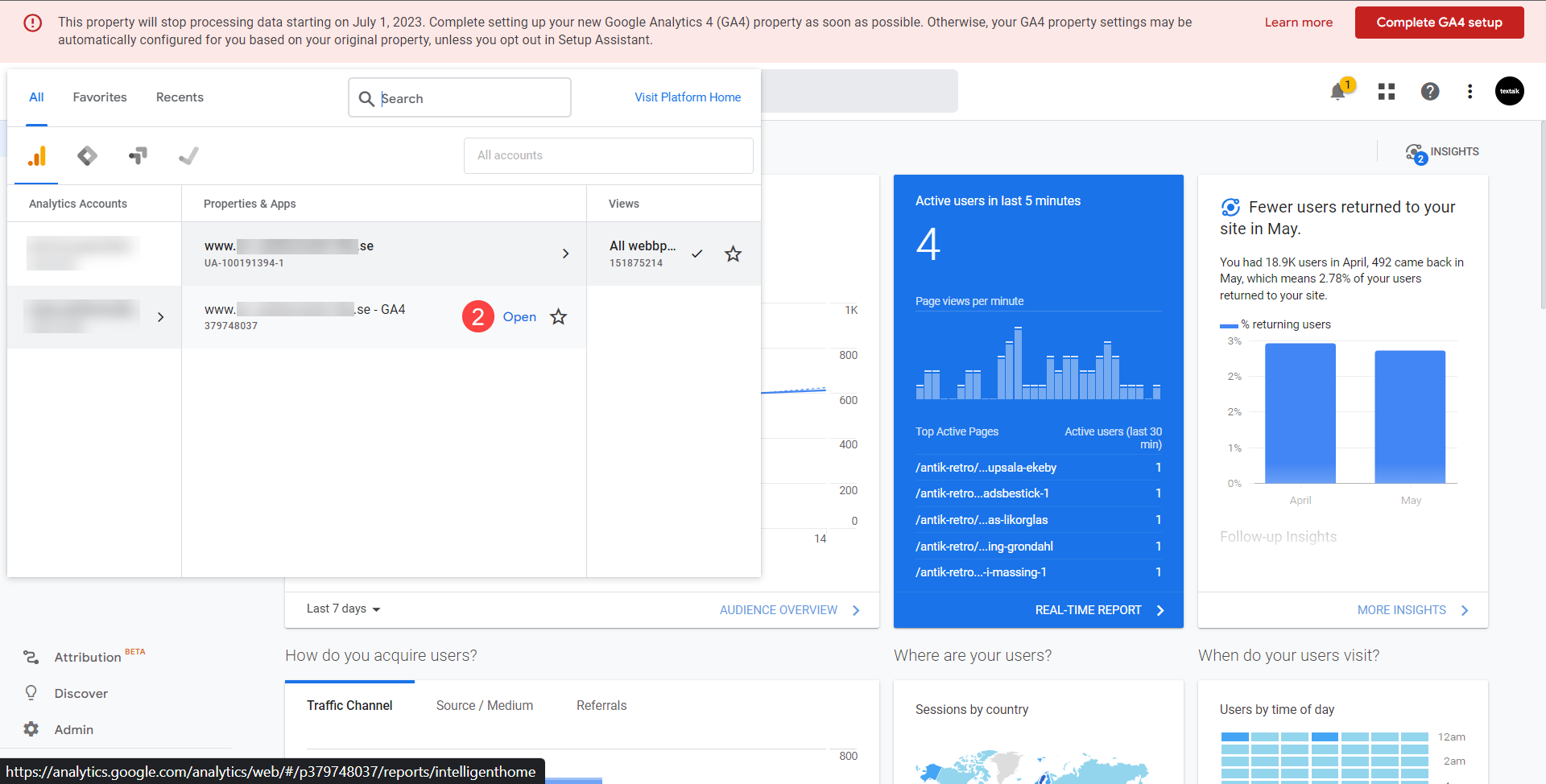
(3) Once you get into GA4 you hover by the house icon to open the menu Then you click Reports:
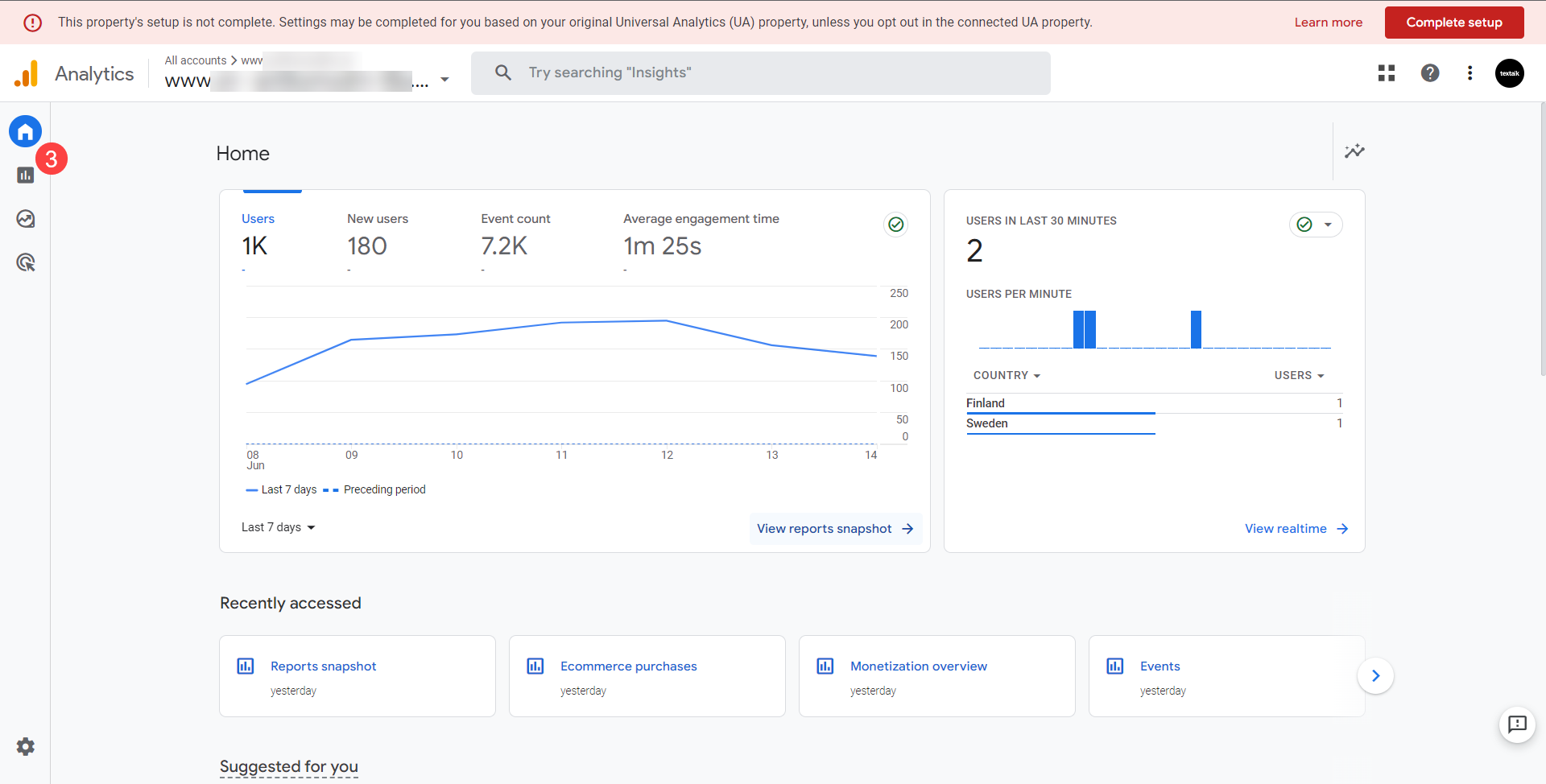
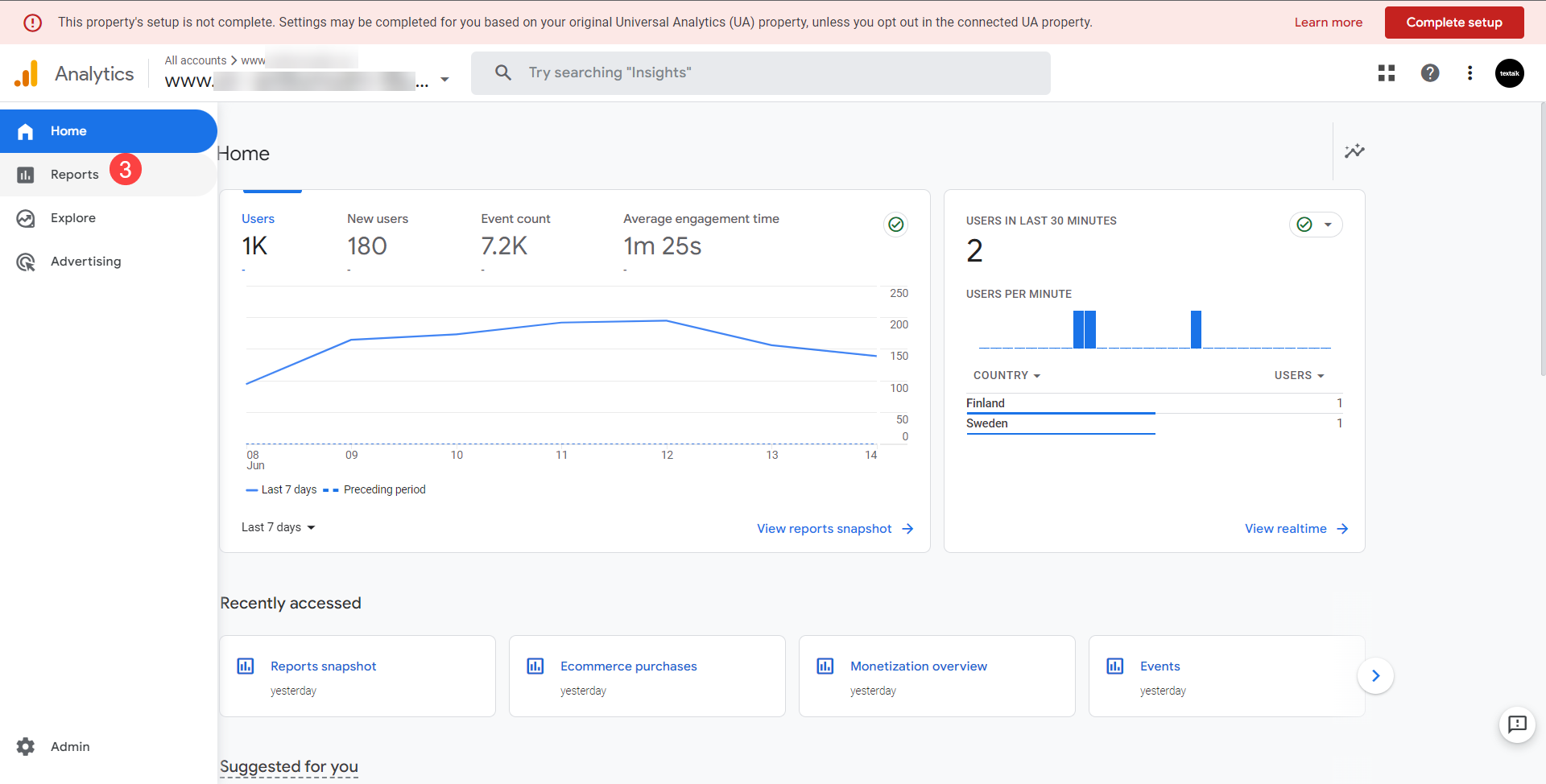
(4) Now you can choose to look at Acquisition, Engagement or Monetization to gain insights collected through enhanced ecommerce:
Why does GA4 Setup Assistant say my GA4 is not completed?
The package enhanced ecommerce includes configuring enhanced ecommerce. It doesn't cover configuring your whole analytics. Use the checklist and the guide below to set it up:
[GA4] Configure your GA4 property using Setup Assistant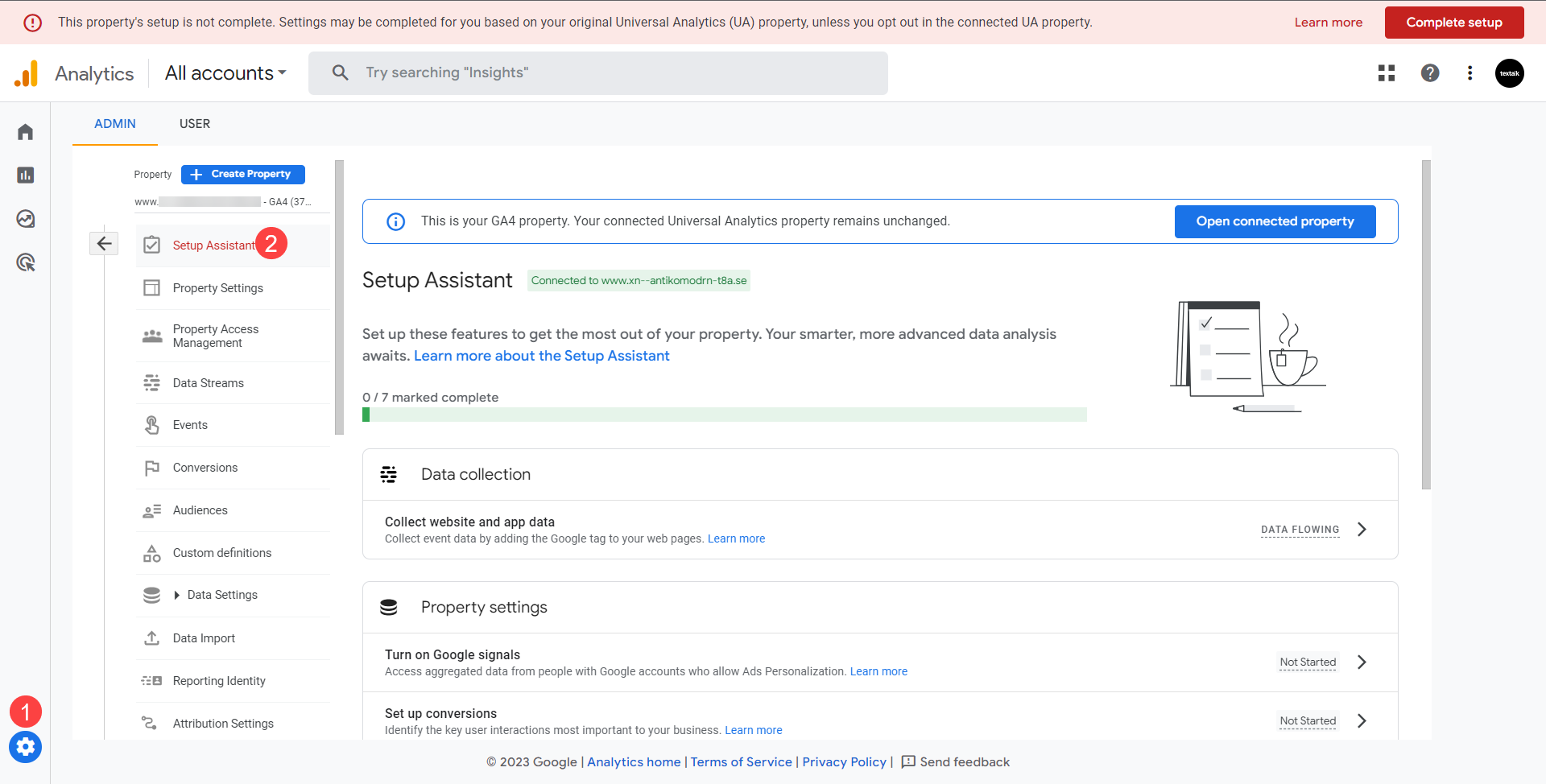
Useful Google guides: