Editing unique selling points (USPs) - Textalk Abicart
Unique Selling Points (USP) available:
Home page
Header
Product page
Checkout
Here's how you do it:
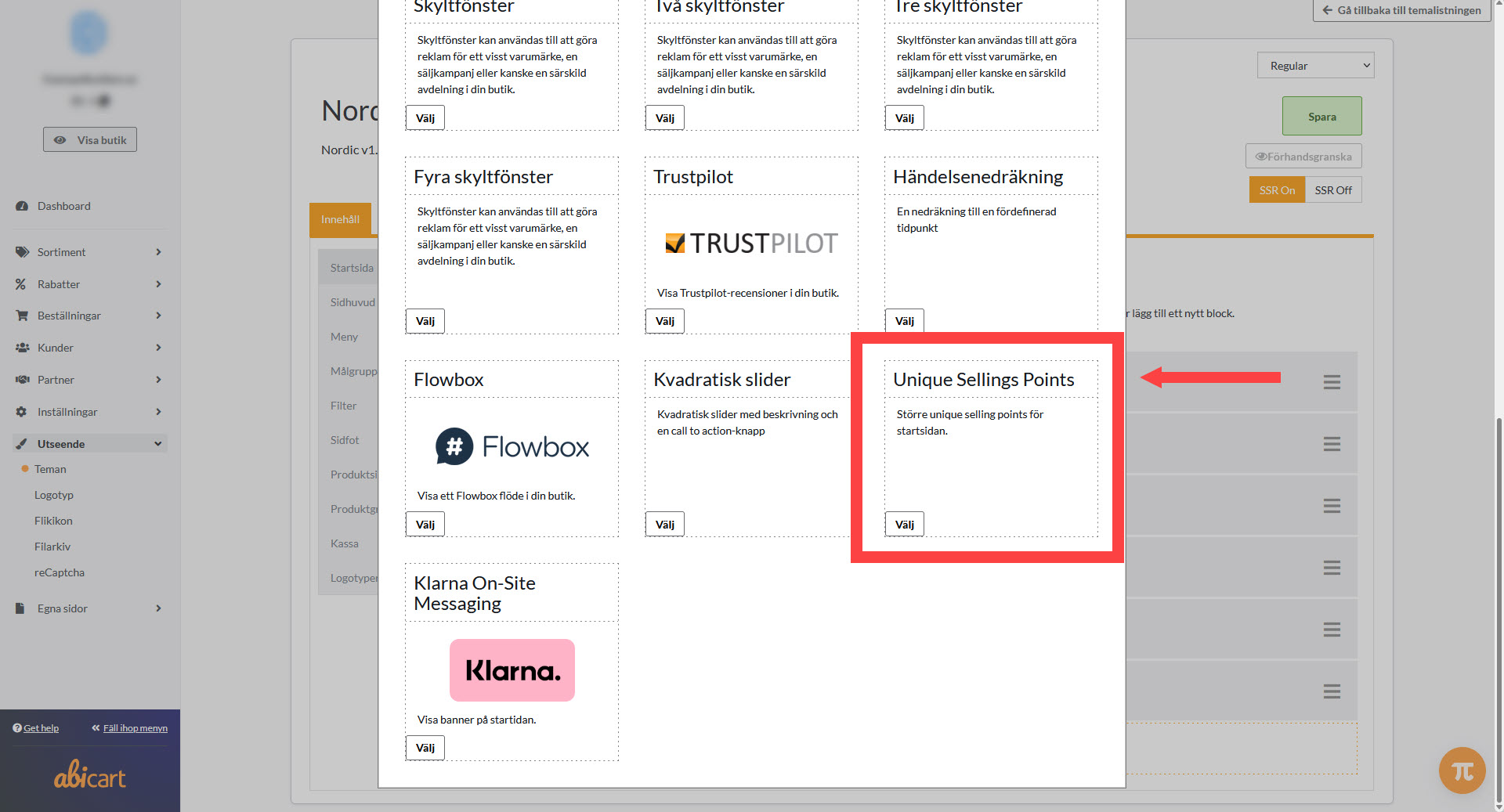
Go to Design >> Themes >> Edit active theme >> Click on any of the above headings, e.g. Product Page >> Locate Unique Selling Points on the page >> Edit symbol, text & placement >> Save at the top of the page.
Then you can click "View Store" and see how your changes look in the store.
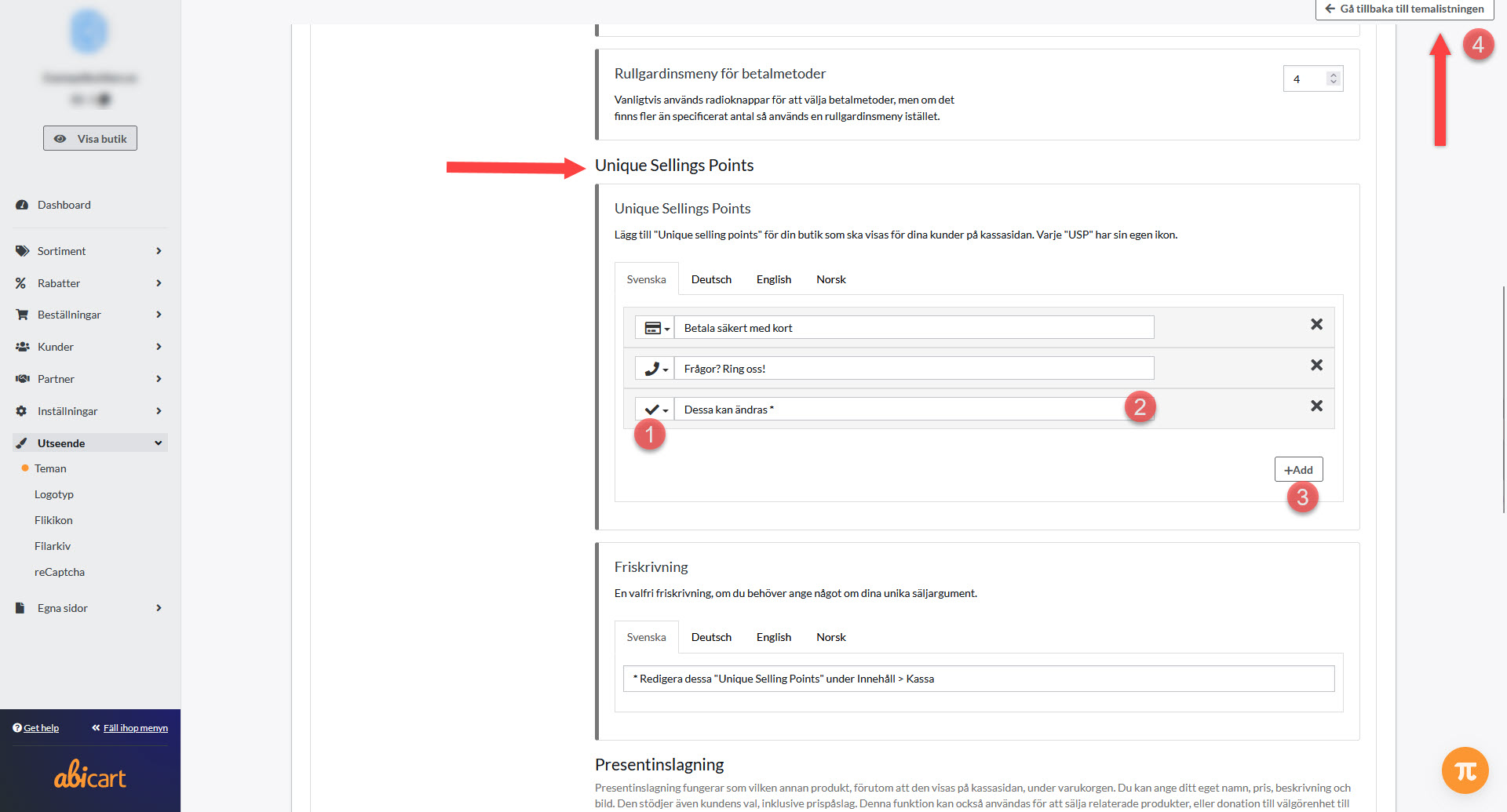
See image of how USPs are edited under "4. Checkout" further down this page.
Take the opportunity to edit/delete the example text in the "Disclaimer" field while you're here editing. This example text is available on the product page and in the checkout.
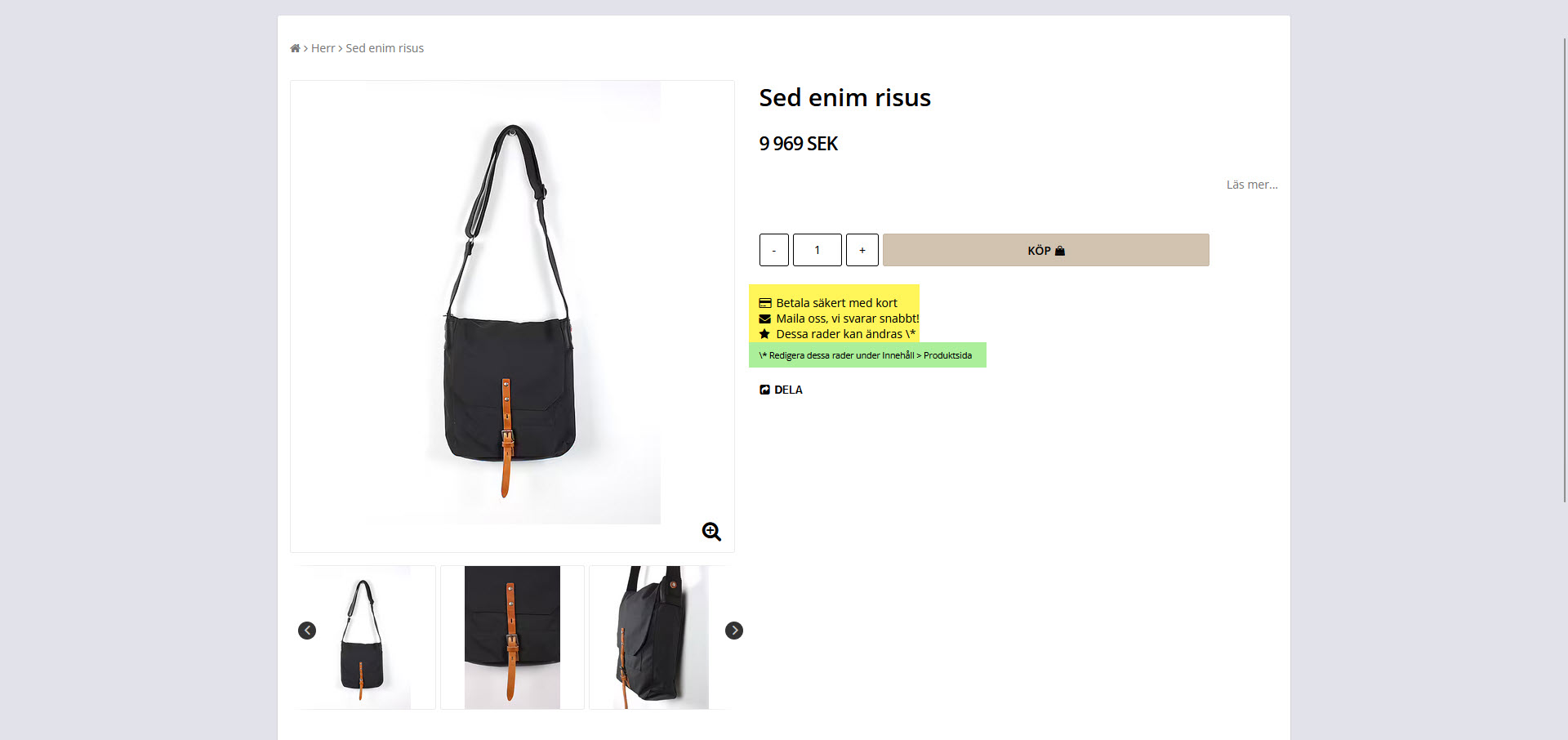
Example of USP on the product page:
Yellow = USP
Green = Disclaimer
Screenshots from admin
Home page
Header
Product page
Checkout
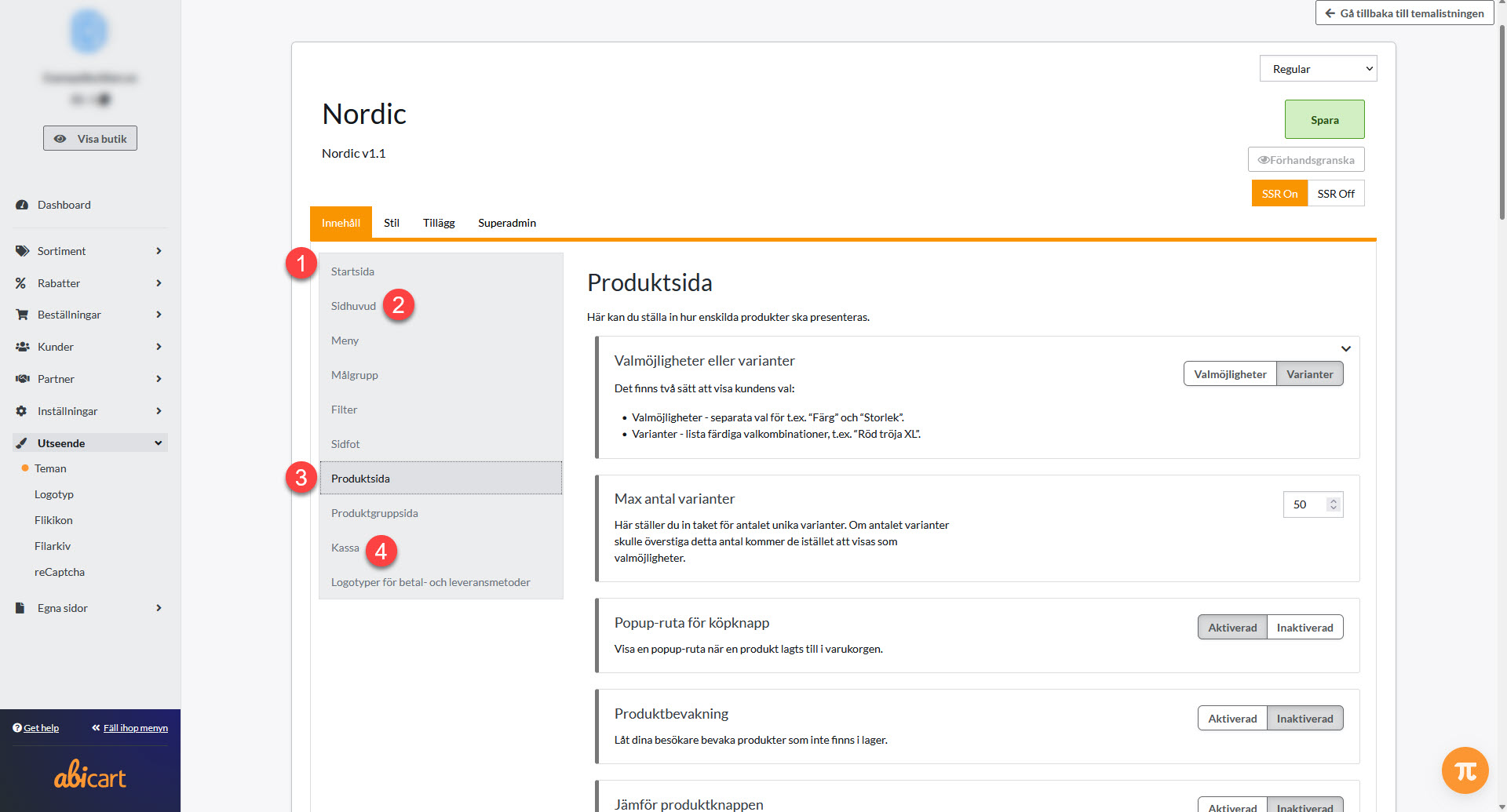
1. Start page
2. Heading
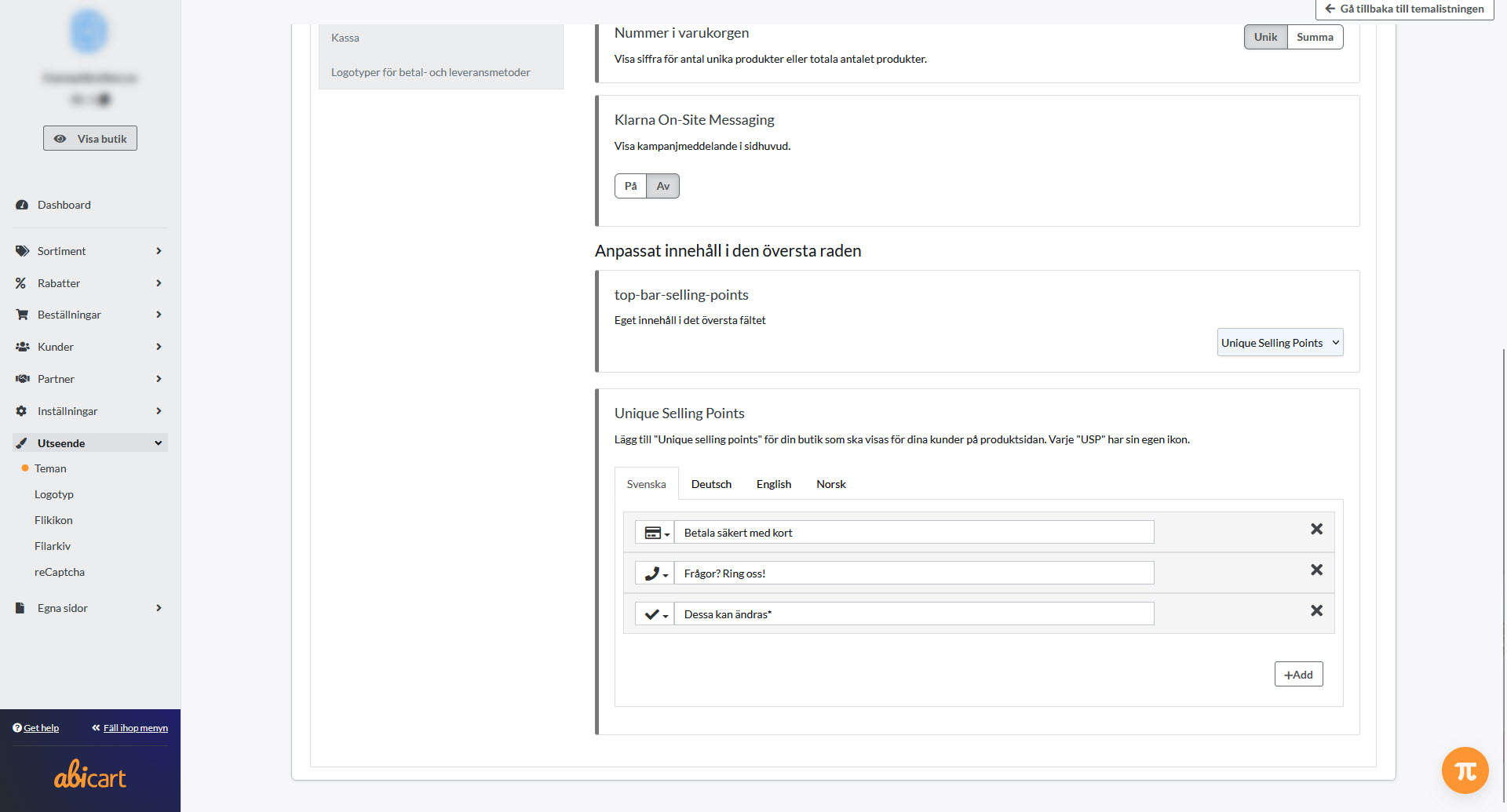
3. The product page
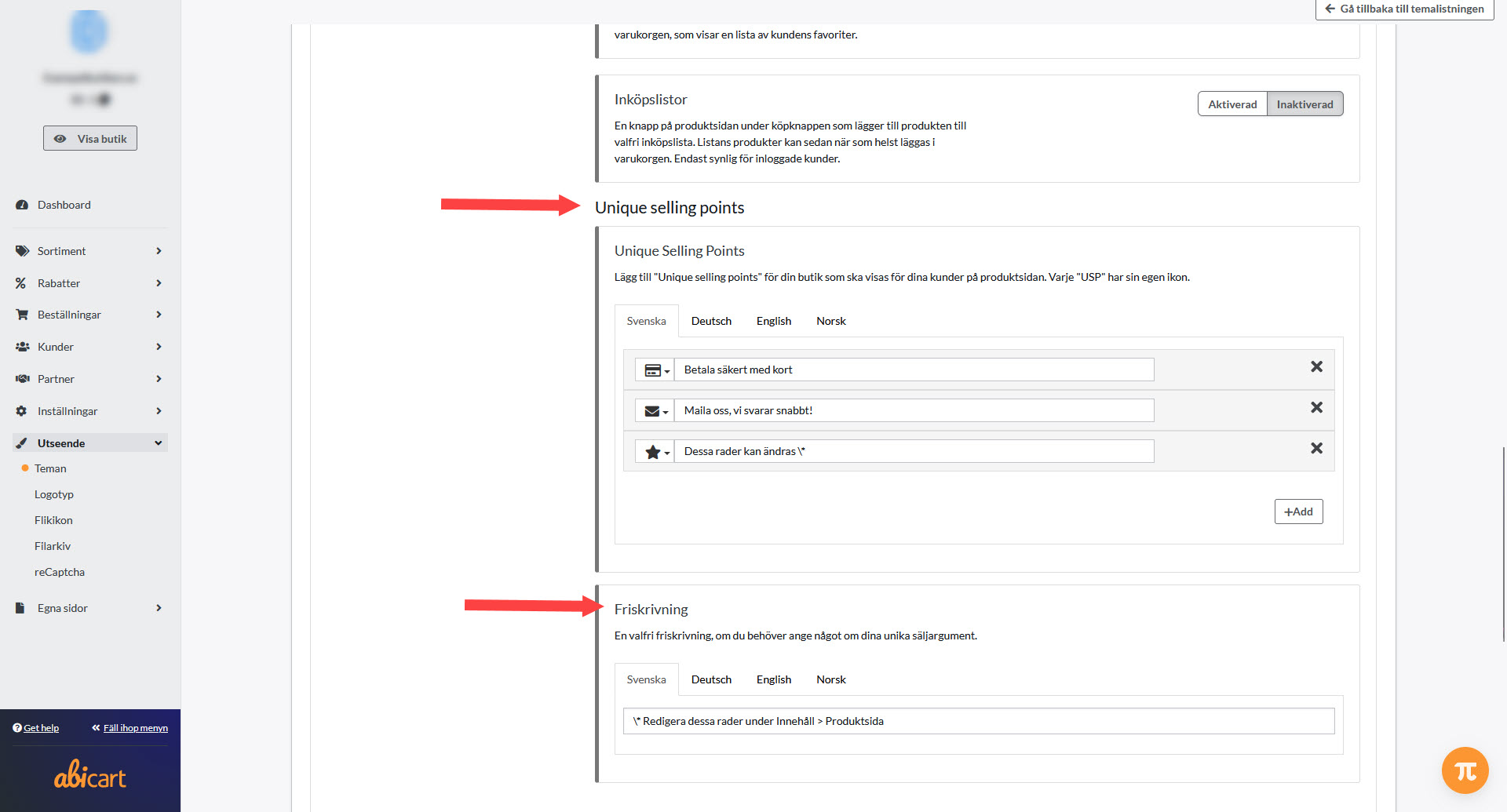
4. Checkout
1) Change symbol
2) Edit text
3) Add to add new + repeat steps 1-2.
4) Save with the green button on the top right
Take the opportunity to edit/delete the example text in the "Freewriting" field while you're here editing.