Editing the theme in multi-store systems - Textalk Abicart
In a multi-store system, each store's theme is set per sub-store.
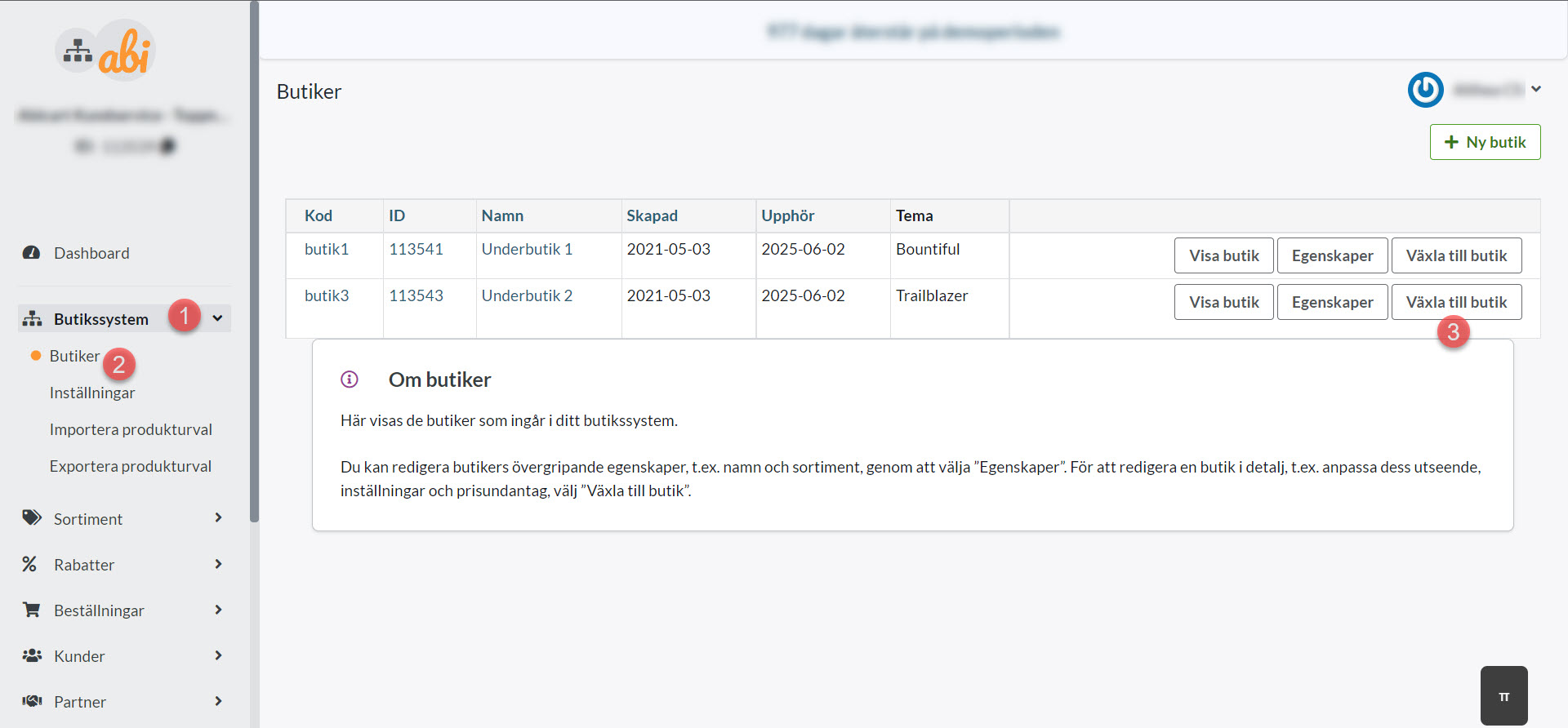
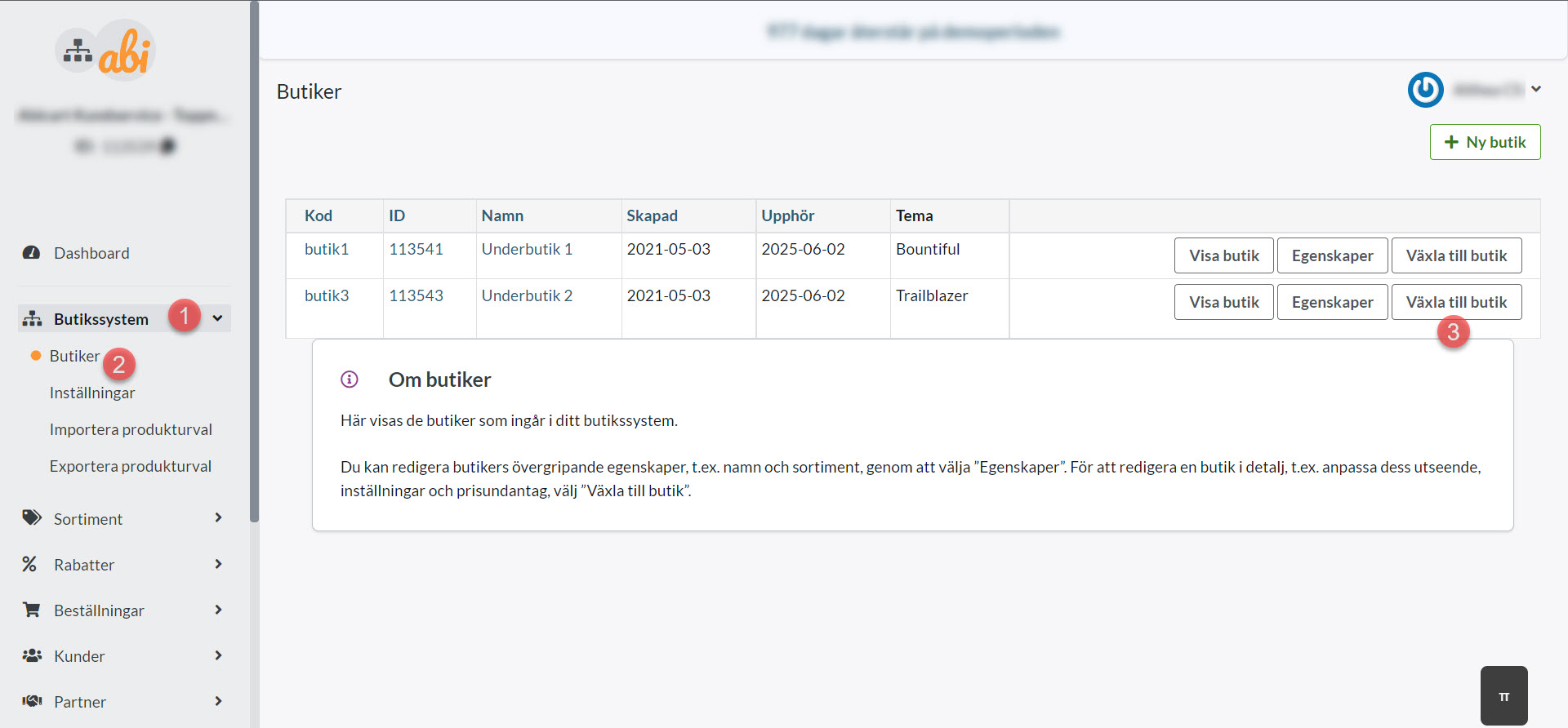
To add/edit a theme in a sub-store, navigate to the sub-store as follows:
Shop system >> Shops >> Switch to shop
Once in the sub-store, go to Appearance >> Themes: