Show reviews on the product page - Textalk Abicart

What are product reviews?
It is a feature where customers can review the products they have purchased. The reviews are presented on the product page below the description.
What does it look like?
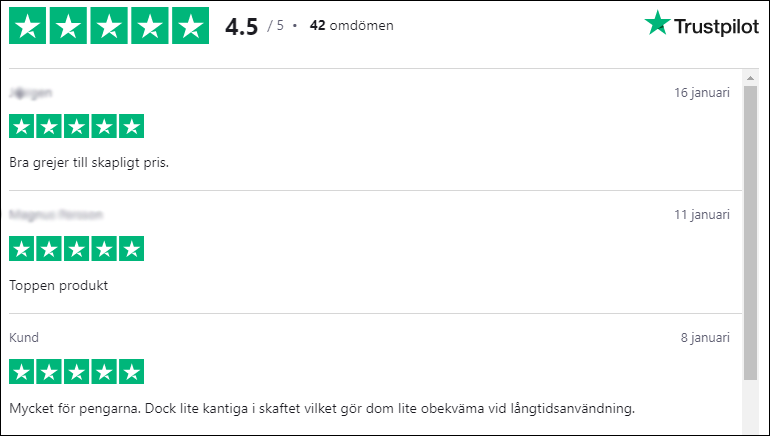
Trustpilot
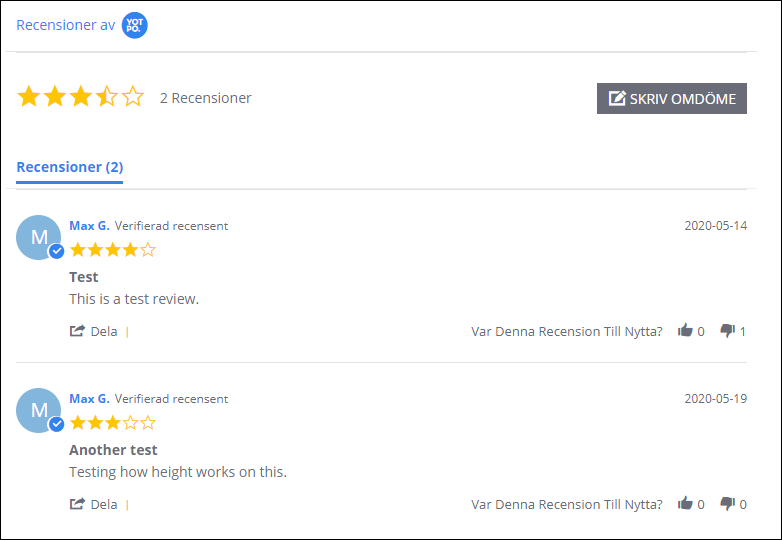
Yotpo
What is needed to make it work?
Trustpilot
Trustpilot requires the standard Trustpilot package and then you add the product review service. You get this on the Trustpilot site: https://www.trustpilot.com/
Trustpilot also requires that you have the SKU or product number indicated on the products.
Yotpo
For Yotpo, their free version is sufficient and you register here on their site: https://www.yotpo.com/.
Yotpo requires all products to have a product number listed for it to work and they also do not allow special characters (å,ä,ö) periods or commas in the item number. Only numbers, letters, hyphens and underscores.
How do I activate product reviews?
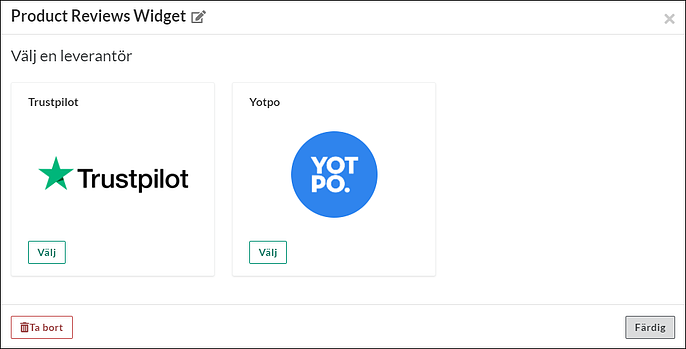
Go to Design -> Themes -> select theme, edit -> Content -> Product Pages -> scroll down to "Bottom of product page" -> Add block -> select "Product Reviews Widget" and click the select button. Then choose the service you want to use, Trustpilot or Yotpo:
Trustpilot
To activate Trustpilot you need to enter your "Business Unit ID" which you will receive from Trustpilot. You can have different IDs for different languages.
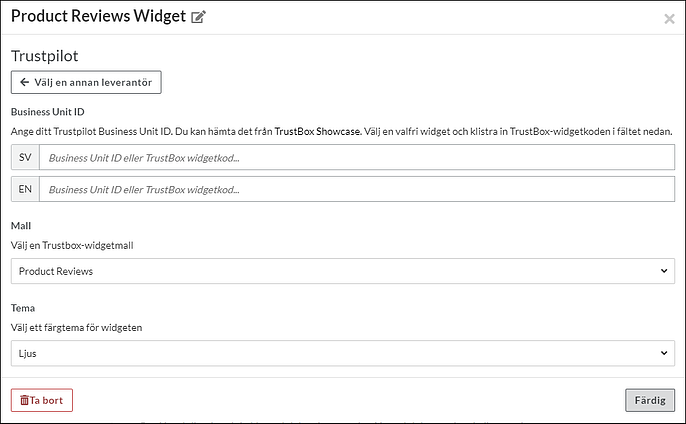
You then need to choose an appearance template and there are several to choose from.
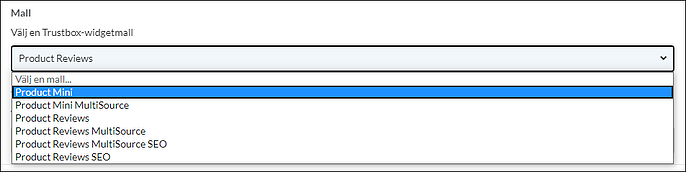
Then choose a color theme, light or dark
Yotpo
To activate Yotpo, you need to enter your "App Key" which you will receive from Yotpo. You can have different keys for different languages.
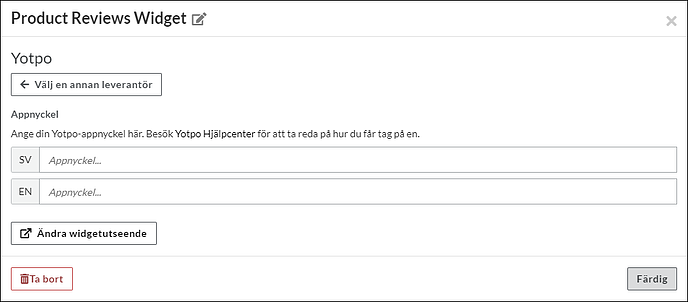
To change the appearance of the widget presenting the reviews, you need to log in to your Yotpo account by clicking on the "Change widget appearance" button.
⚠️ Yotpo Widget Loading Issue
Certain product configurations will prevent the Yotpo (and Trustpilot) review widgets from initializing on your product pages.
Unsupported Configurations:
• Empty product numbers (and empty SKUs for Trustpilot)
• Invalid characters: Product numbers must consist only of letters (A–Z, a–z), digits (0–9), hyphens (-) and underscores (_). Any other character (spaces, punctuation, symbols) will cause the widget to fail.
Problematic Examples:
• PRODUCT 001 (contains a space)
• ITEM#100! (contains punctuation/symbols)
• (blank)
Valid Example:
• ITEM-001_ABC
– Uses only letters, digits, hyphens and underscores — the widget will load correctly.
Recommendation:
Review your products to ensure all product numbers follow the allowed character set and are never left blank. Then if it is still the same, reach out to customer support.