Create Custom pages with product groups and subgroups - Textalk Abicart
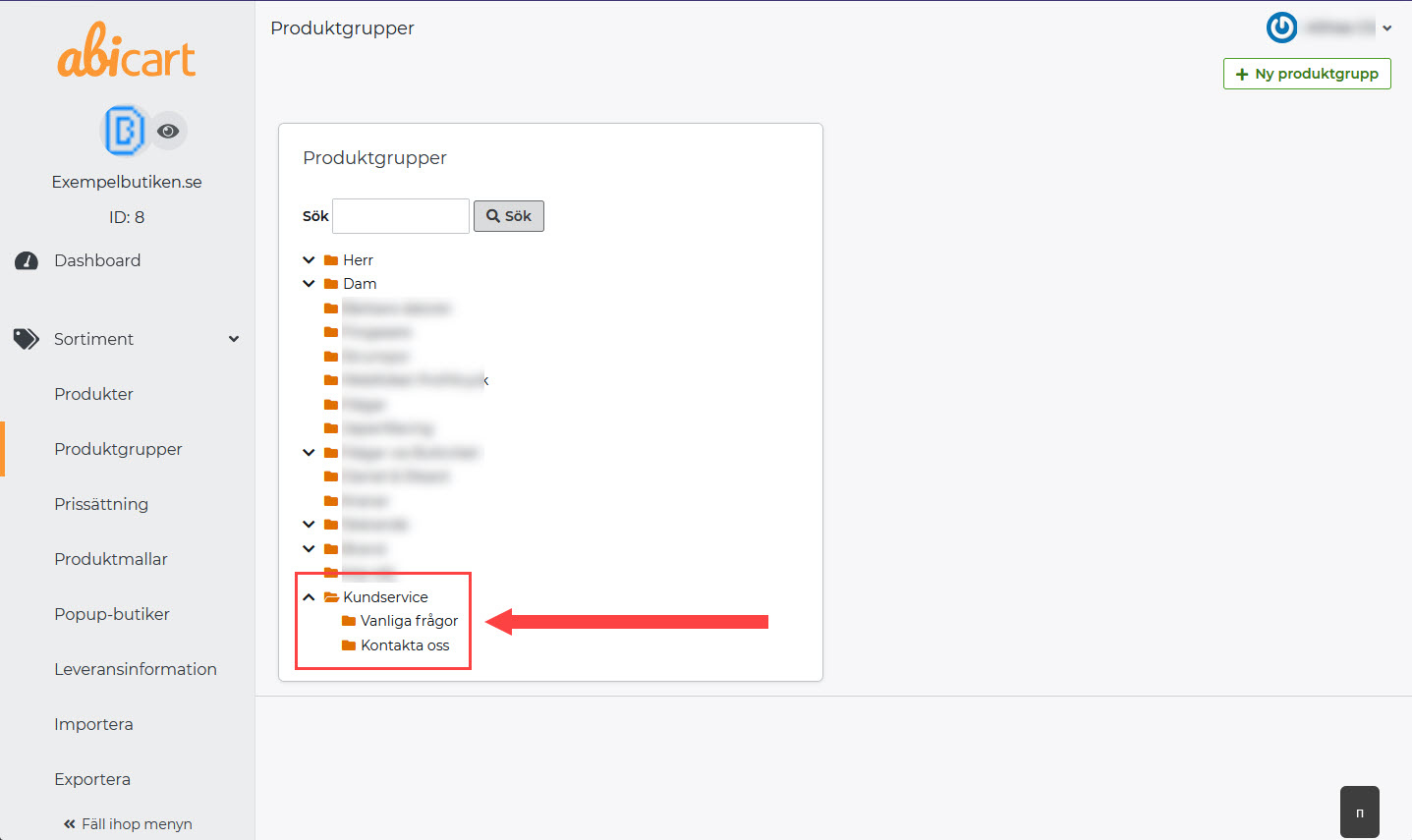
Custom pages and product groups work almost exactly the same way. The differences are that product groups can be set up as a main group with subgroups, and custom pages can only be standalone.
So it can be useful to put your custom pages as product groups if you want to have custom pages under one menu item: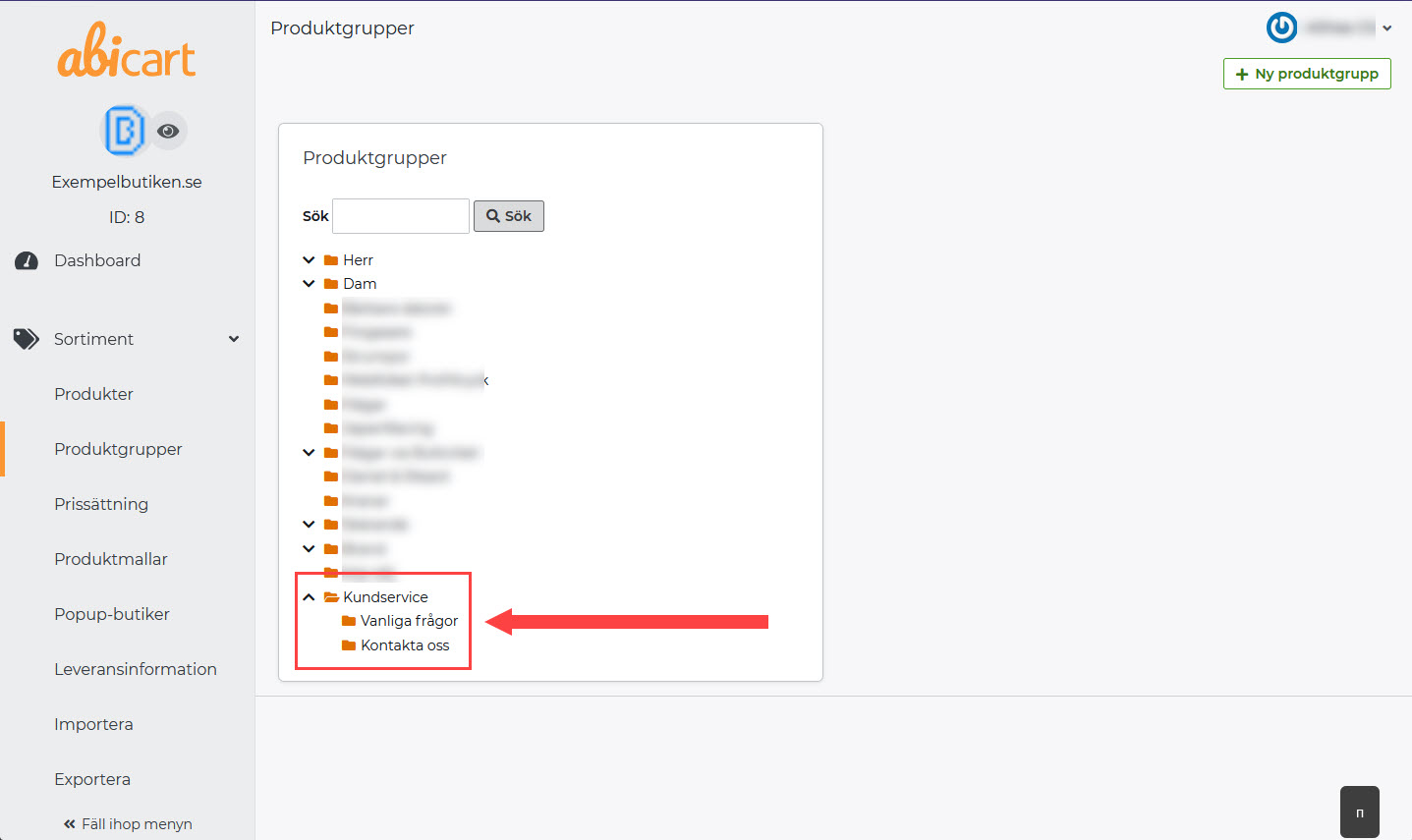
Here's what you do:
1) Go to Assortment >> Product groups
2) Click on New product group & give the group the name you want as a menu item >> Save by clicking on Add.
This will be your "main group" - Now you just have to create the subgroups!

3) Click on the main group >> Then click on New subgroup in the box on the right.
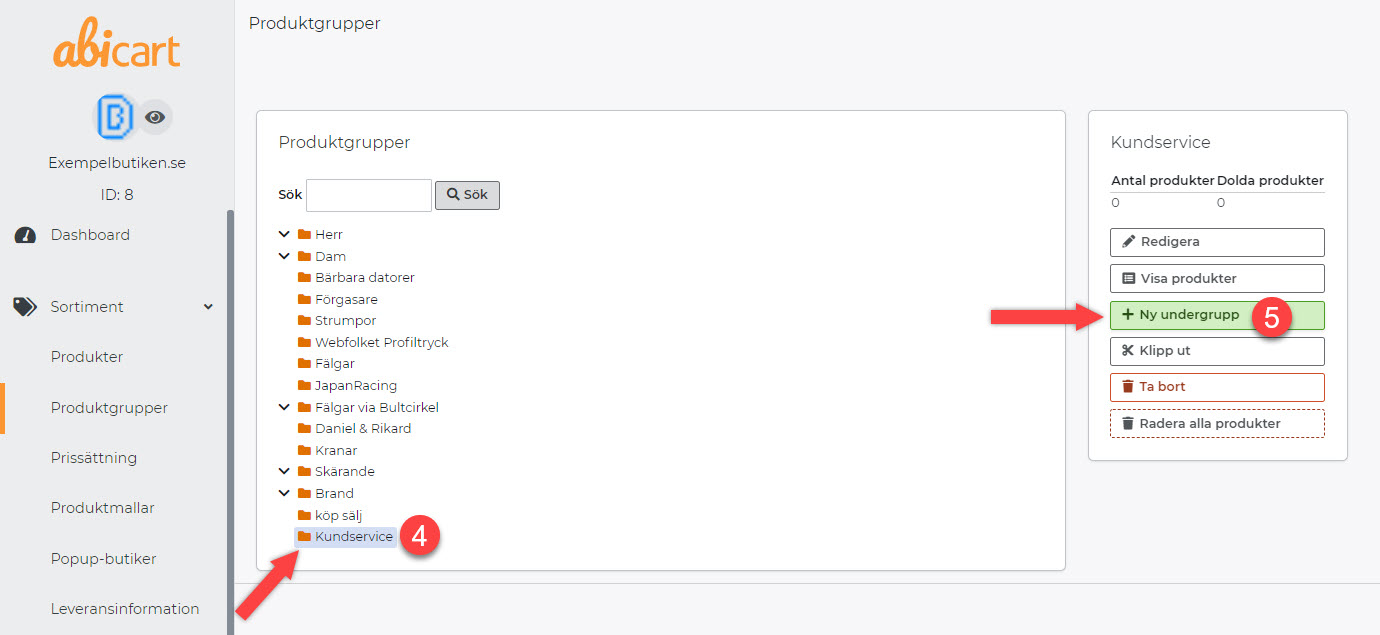
4) Name the subgroup >> Save.
5) Type the information into your "custom page" or copy the existing custom page and paste its content into the new subgroup.
You can enter the text in the field for "Image and text in product group table" or under Optional text/image "Custom look" for a more customized page. Learn more about, custom look here: Link to the manual - Product groups


6) Now you just have to add the menu item - Link to the manual: Add a menu item