Preview themes in mobile view - Textalk Abicart

Previewing with Firefox, Google Chrome and Edge
When previewing an active or inactive theme under Appearance>Themes, do the following to open the inspection tool in the browser:
- Firefox: Ctrl + shift + M
- Google Chrome: F12 and then Ctrl + shift + M
- Edge: F12 and then Ctrl + shift + M
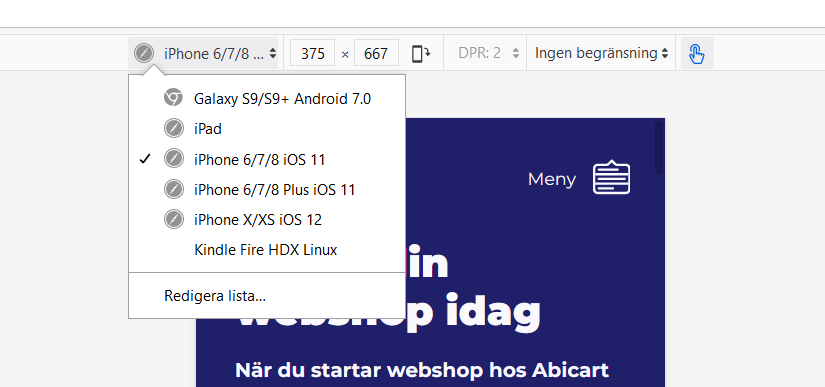
Now the inspection tool is running, you can then choose to widen the height or width of the view itself , or choose one of the preset sizes to mimic how it would look for a number of different devices.

Previewing with Safari
When previewing an active or inactive theme under Appearance>Themes, do the following to open the inspection tool in your browser:
1. Safari menu> Preferences> Advanced
2. Tick the box for "Show develop menu in menu bar"
3. "Develop" is now an option in the menu bar in Safari. Click on Develop-> "Responsive design mode"
Now the inspection tool is running, you can then choose to widen the height or width of the view itself, or choose one of the pre-set sizes to mimic how it would look for a number of different devices.
To preview with Safari you need to go through a few more steps, so we recommend using a Firefox, Chrome or Edge in the first instance for mobile view previews.