Consent to Cookies - Textalk Abicart

For information on Google Consent Mode version 2, read more here.
Why do we use the cookie consent policy?
As a seller, cookies are essential to understand your customers' behavior. This data is important for improving your website and making it more accessible to visitors.
Cookies can store different information such as language, currency, etc. They can also track online activity and customize ads accordingly. This helps you create a more personalized experience for each visitor. The data differs for each website and the services used by them.
When collecting cookies, it is of course important to respect the visitor's privacy. The cookie consent policy allows your visitors to control the information they share by giving them a choice to accept or reject cookies. No information is sent or tracked until the visitor makes a choice in the cookie policy pop-up window.
This means that the visitor must explicitly choose "Accept" for the cookie to collect and track their data. By accepting cookies, their website will resume all normal functions and work as expected without any restrictions. The features restricted by the new behavior are listed below.
Once rejected, they can always "accept" it at any time by clicking on the "Cookie icon" in the top right corner of the web page. This will trigger the automatic data collection and the normal cookie function will resume. All pending cookies that are not essential are put back.
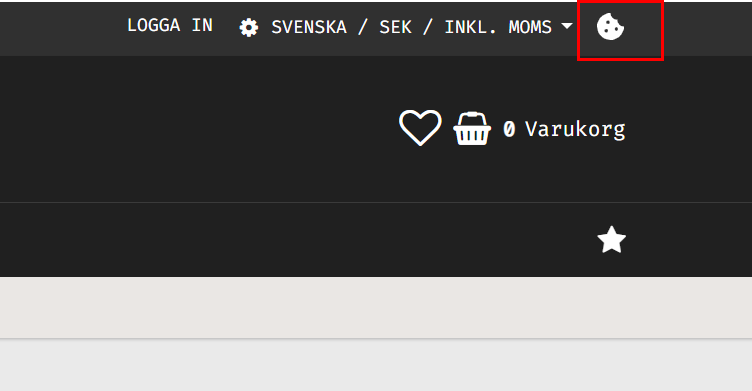
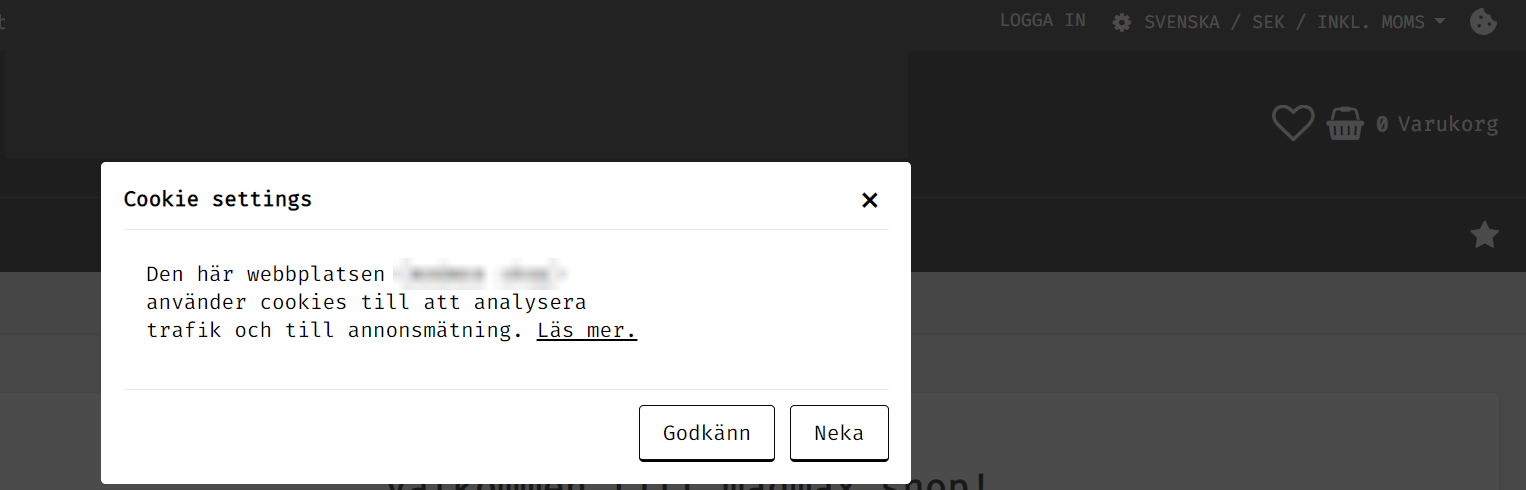
Those visitors who have already accepted cookies in the old behavior will not be affected by the current change. If they want to reject it, they can do so by clicking on the cookie icon in the top right corner of the page.
By default, the website's cookie policy is set to "Reject", i.e. no data is collected or tracked. Because of this, your visitors may notice the following changes on your website when they reject cookies:
- The favorites list does not work because it is a cookie-based feature. The visitor can mark the product as their favorite, but it will not be stored in the list.
- The compare button on the product will have limited use. It will show the product comparison, but the product will be removed when it is reloaded.
- "Last visited products" will always be empty unless visitors "accept" the cookie policy. This is because it cannot store this information without a cookie.
- Facebook Pixel, Google Analytics, Google Tag Manager and Google AdWords will not work. It will not collect any data about the user.
Google's consent mode gives you an alternative way to still track the required data even if the visitor has rejected cookies.
These are, from the visitor's perspective, the main effects of rejecting cookies.
If the customer chooses to "Accept" cookies again, all functions will work again. The site will also resume tracking with Google and Facebook Pixel. The tracking will be restarted, and will not remember what the customer did before accepting cookies.
What is Google's consent mode?
Websites using Google's tools do not collect any information when cookies are rejected. To overcome these data tracking limitations imposed by Google tools, we now support Google Consent Mode. It helps you track the mandatory data while respecting your visitors' choices. You can learn more about Google Consent Mode here.
How does it work?
With the new Google Consent Mode, if the visitor accepts cookies, the tools will work as usual and get detailed information about visitors' behavior.
When consent is active in the store and the visitor has rejected cookie consent, no detailed data will be saved as before. It will only send a ping to Google to tell it whether the specific goal has been achieved or not. Make sure your marketing goals are met while respecting the visitor's consent to cookies.
You can enable consent under Appearance >> Themes >> Edit >> Add-ons >> Cookie >> Require consent

More information about custom applications and their cookie consent?
This cookie policy will only affect the built-in features. Any custom or 3rd party scripts added manually in the webshop under themes or in other places like the product page, checkout or order confirmation page will not be affected by the visitor's consent to cookies. However, it will be your responsibility for any cookies set by these scripts.
If you want to know more about cookies and their functions, please contact support at support@abicart.se.
New update:
Benefits:
Show your custom text to your visitors about the data you collect and your terms and conditions.
Customize the pop-up with HTML and CSS.
Require cookie consent from your visitors by making the choice mandatory.
Google's consent mode still allows you to collect visitor data by respecting their privacy when the cookie is denied by the visitors.
The new Facebook cookie consent feature allows the Facebook pixel to track all visitor data and save it until the visitor makes a cookie choice. Then, based on the choice, it will be updated on your Facebook tracking page.
Points to remember:
This is only available in the latest version of our themes.
Facebook Cookie Consent is built-in and does not have an explicit setting like Google Consent.
The statistics will change when cookies are turned off by default, until the visitor makes an active choice and accepts cookies.
If the visitor rejects the cookie, the Facebook cookie consent will not send the saved information to your pixel tracking page. In other words, if the visitor never gives cookie consent, the Facebook tracking feature will not send any data at all.
The statistics will not be affected for those existing visitors who have already accepted cookies before the update. If a buyer has already accepted cookies, this update will not affect their choice of cookies and will continue to collect their data.
The reason is that a website should only collect cookies from users after they have given their explicit consent to the specific purposes of use. Until then, it is thus mandatory to turn them off in accordance with the legal requirements. It is their choice to choose what information they want to share. This also complies with the rules of other services, such as Google Ads.
The new cookie policy is only available in the latest version of our themes, so it's time to upgrade your theme to access this new feature.
What are the new settings?
We have divided the cookie settings into two parts: General and Advanced.
General - Here you can control the customization and selection of general cookie settings.
Advanced - Here you can turn on or off the cookie policy pop-up in this section. But it is at your own risk
Request consent: This makes the selection of cookies mandatory. When a new visitor arrives on your website, the pop-up will be placed in the center of the website. (Like newsletters and other pop-ups. The visitor must make an active choice to explore the site. They can close it without making a choice, but with each button click it will keep popping back up until they make an active choice.
This cookie pop-up will not affect other pop-ups such as newsletters, visitor type (business or individual).
Cookie text:
You can add your own content, design your layout (HTML + CSS), add images, videos and other customization.
The cookie field text will have a fixed mandatory text for the "Terms of Use" page. It is built-in and cannot be deleted. But it can be customized with CSS.
You can enter the HTML customization under the (<>) icon and the corresponding CSS under Style >> Custom CSS in the theme.
Abicart mandatory cookies:
Abicart has a number of cookies that are required for the site to work. These are as follows:
SERVERID: Indicates which of our API servers the requests should go to.
theme_id: Specifies the theme to use when loading the store. This is mostly used during theme preview.
diversity_twssessid_{Webshop UID}: Specifies the session ID of the current visitor. The last part of the cookie name is the web shop ID. If this cookie is deleted and the user has an active shopping cart, the content will be emptied unless the session ID is retrieved again. Logged-in customers are logged out.
twssessid_{Webshop UID}: Same as "diversity_twssessid_{Webshop UID}".
diversity_webshop_language: Indicates the language used in the shop.
twsApi.Locale.currency: Used to keep track of the currency to be displayed on the website. Without this, the default currency will be displayed the next time the page is refreshed/reloaded.
twsCore.pendingShipmentCountry: Indicates the shipping country selected by the visitor. Depending on the country of delivery, the VAT rate on prices may be different. So this cookie makes sure that if the page is reloaded in any way, the shop will still show the same price.
cookie_accepted: Saves the choice for cookie consent.