Shipping package templates - Textalk Abicart
What is a parcel template?
If you have different sizes of packaging that you send your orders in, you can create different templates for this which are then included in the total weight.
Do I have to create parcel templates?
Some integrations, like Shipmondo, require that you have a parcel template for the delivery methods. Otherwise, this is an optional feature to use.
Create a parcel template
Under Settings -> Shipping there is a tab at the top called "Parcel templates".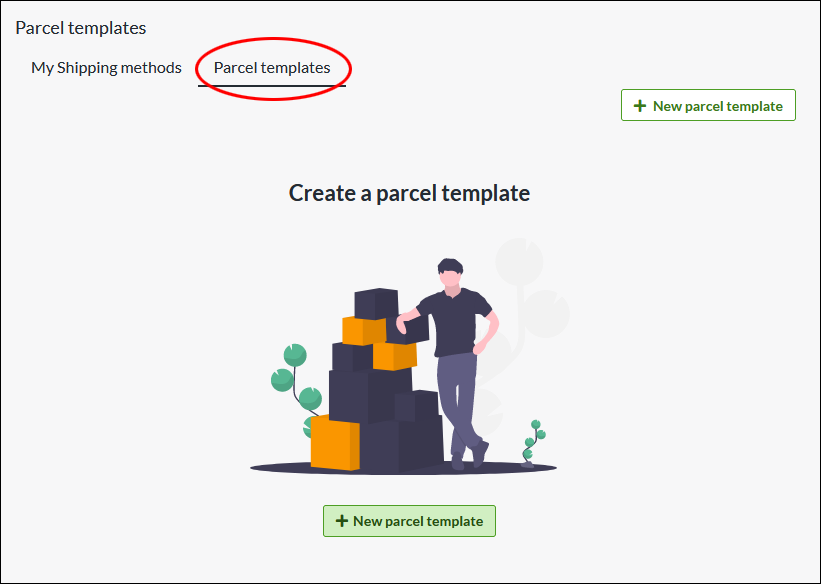
Click on "New parcel template"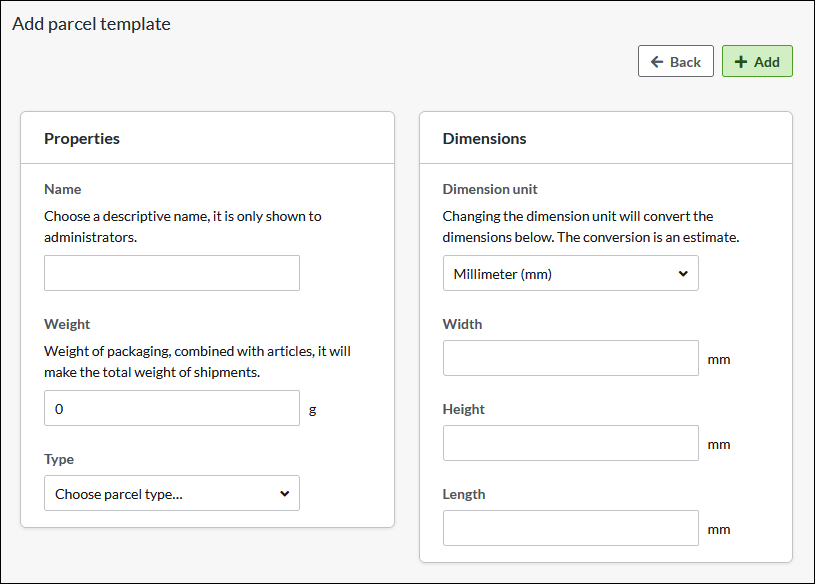
Name
Choose a descriptive name, this is only shown to administrators.
Weight
The weight of the package, combined with the products, will be the total weight of the shipment.
Type of package
Select the type of package...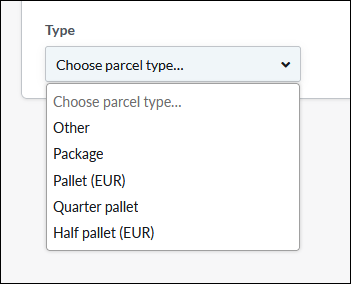
Dimensions
Chose unit. Millimeter is default.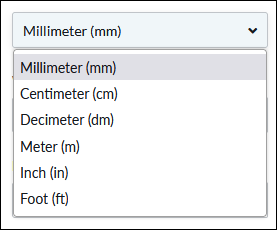
In this example, we add "Standard carton" as name, the weight to 100 grams, type "Package", width 400mm, height 50mm and length 300 mm.
Linking a parcel template to a delivery method
On each shipping method there is a setting to select the parcel template. Go to Settings -> Shipping -> select a shipping method and click on the name to edit.
In the right block “Settings”, at the bottom there is the setting for “Package template”.
- Select one of the templates you have created >> Save
- Then check the box “Include package weight for shipping fee calculation” >> Save
The weight from the parcel template will now be added to the weight from the shopping basket and give the customer the shipping fee according to the weight-based shipping tariff.

