Rule Integration - Textalk Abicart

Description
Article no.: 1239
How does the integration with Rule work?
It is an integration that exports customer data from orders and the customer register to Rule.
What is needed to use Rule?
The PRO subscription + that you get a subscription with Rule. You do this on their website www.rule.se.
Create and retrieve API data on Rule.se
Log in to rule.se. Click on your username in the upper right (1) and then on "Settings" (2). 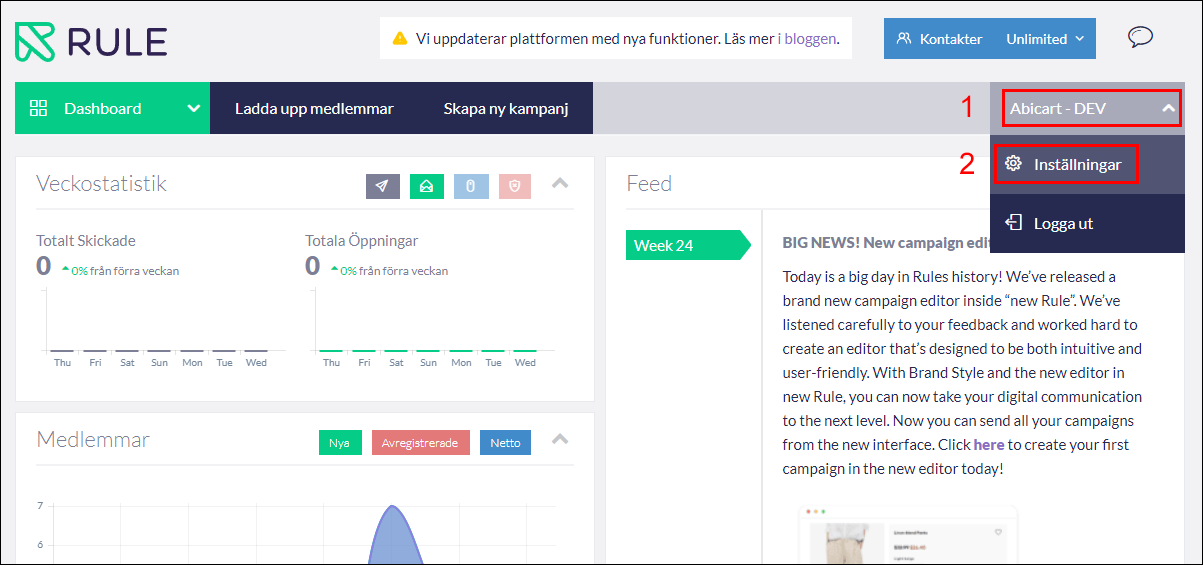
Click on the "Developer" tab (1) and then on the "New API key" button (2).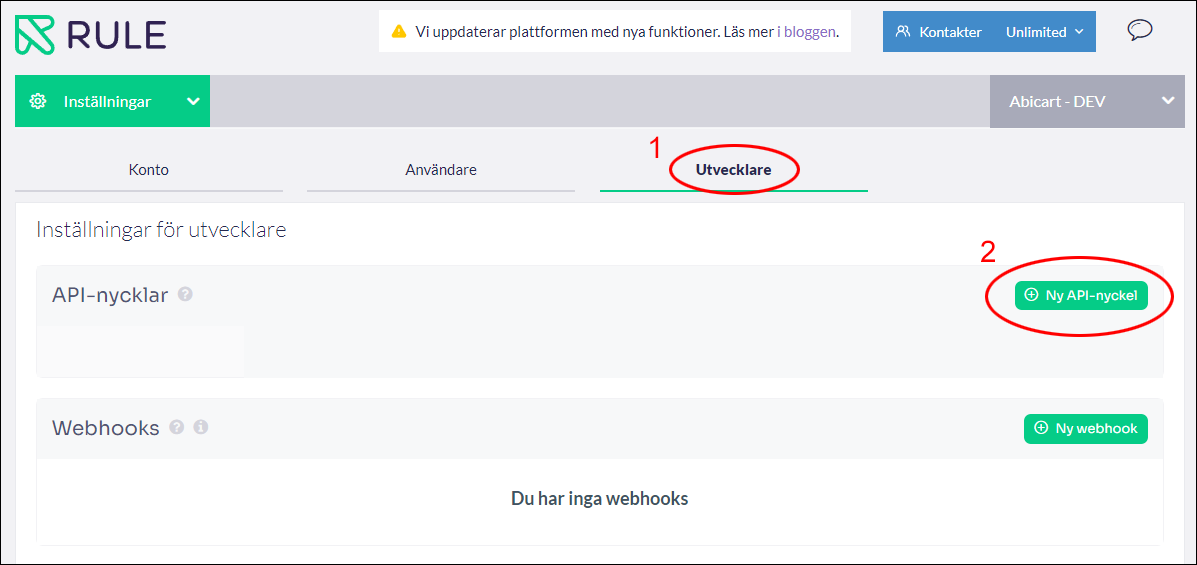
The API key is a password of about 30 characters and contains mixed numbers and letters. Click on the copy button to the right of the API key.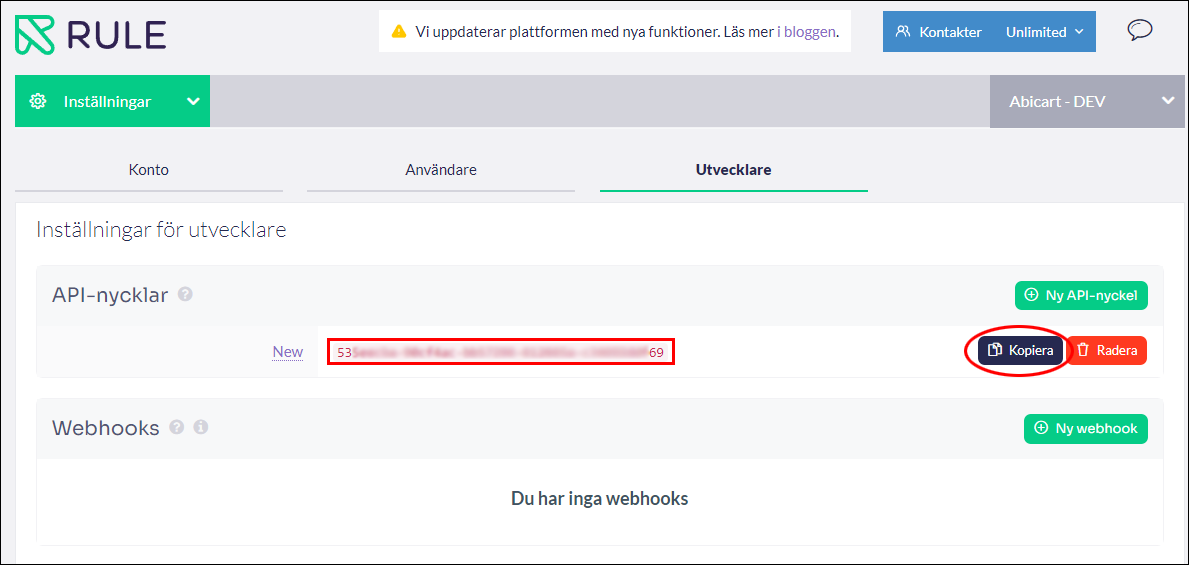
Log in to the store and go to Settings -> External connections -> Rule. (Contact customer service to have Rule added under External connections).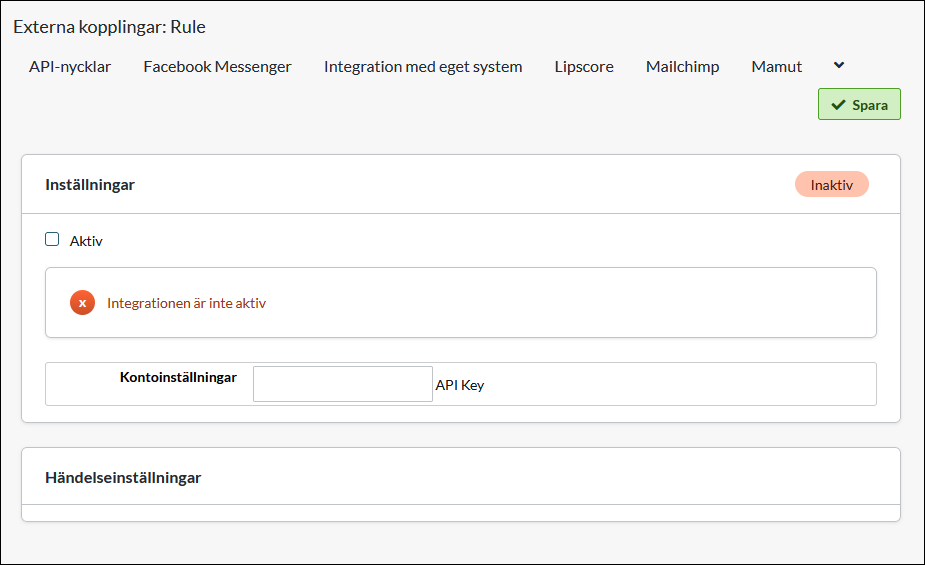
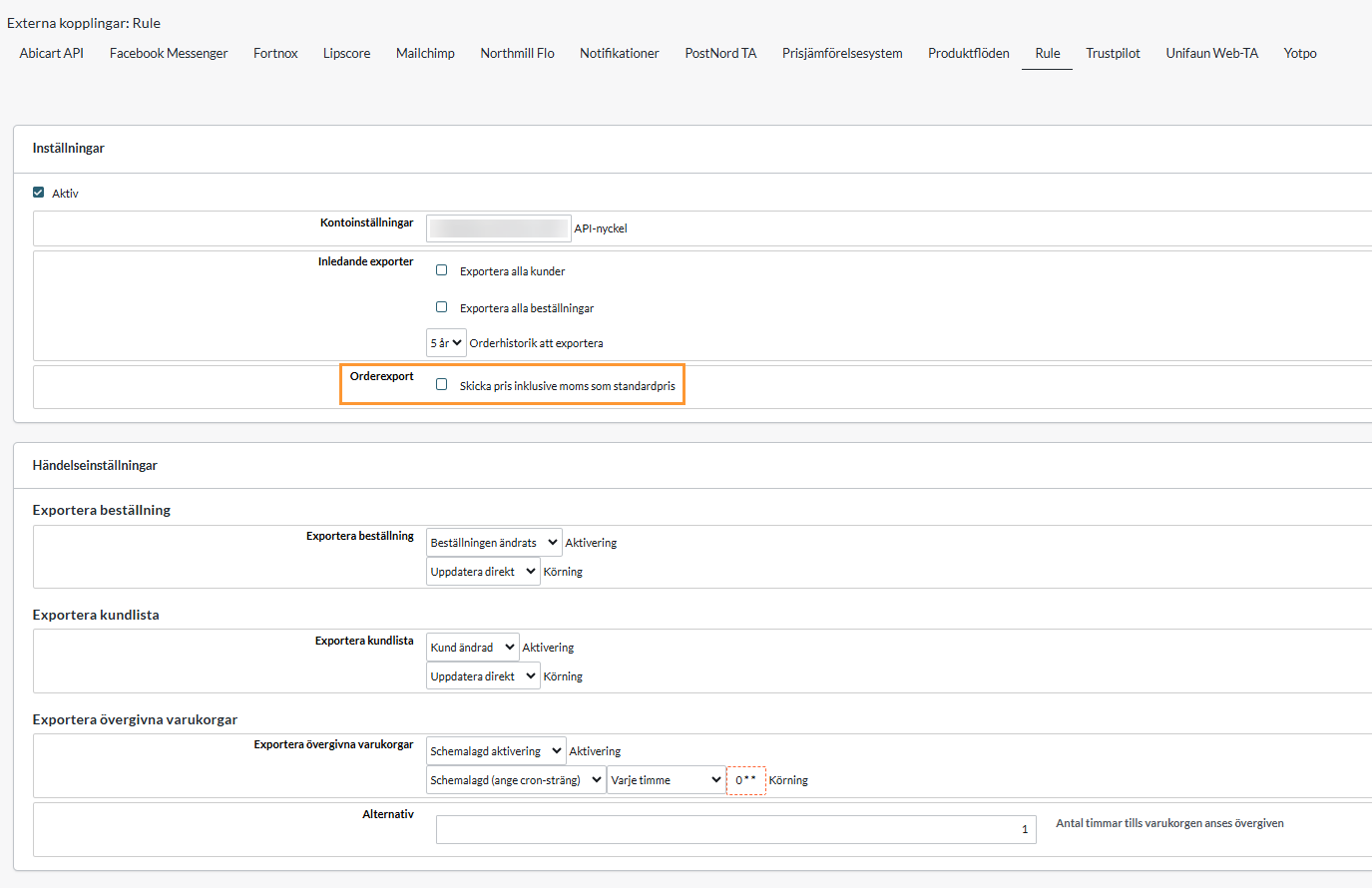
Check the Active box, then paste the API key you created in Rule admin in the "API Key" field and save. 
Order export
Check this box for the product prices to be displayed incl. VAT in the mailings from Rule to the end customer.
Connection - If the key entered is correct, a link will appear that says "Log out of Rule". This means that the store has connected to Rule.
Initial Exports - A setting to enable an export of all customers in the customer register. It also requires that "Export Customer List" under "Event Settings" is enabled.
Export order - Enable the export of new orders by selecting "Order has changed" under "Activation" and "Update directly" under "Run.
Export customer list - Enable the export of new customers by selecting "Customer has changed" at "Activation" and "Update directly" at "Run.
Export Abandoned Carts - Enabling the export of abandoned carts gives you the possibility to remind your visitors who have added items to their carts but not completed the purchase.