Integration to Lipscore - Textalk Abicart
What is Lipscore?
Lipscore is a platform for collecting and using ratings and reviews.
How to get started
Get an account with Lipscore by filling out the following form >>.
Activate Lipscore in Abicart
Once you have your account and login details for Lipscore, it is time to activate the integration. Go to Settings -> External connections -> Lipscore in Abicart.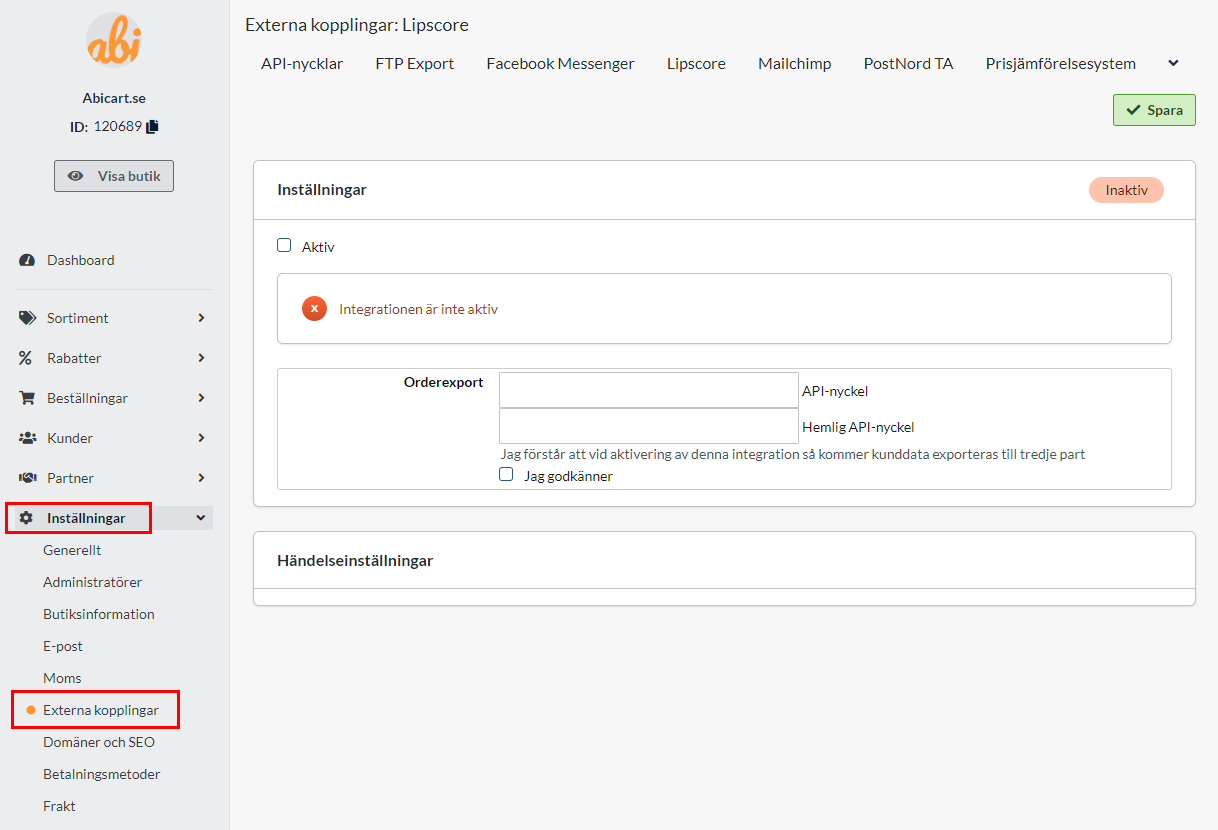
You need to enter an "API key" and "Secret API key". This can be found in Lipscore-admin.
Log in to Lipscore and then go to Settings -> General Settings -> APIsettings.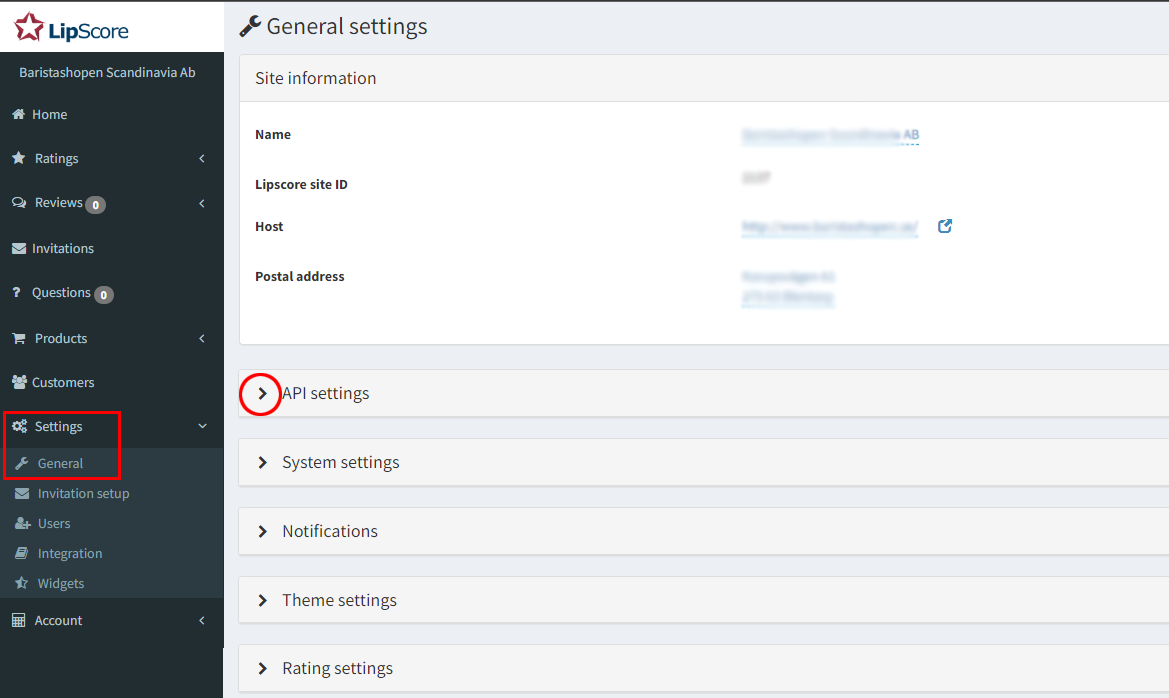
Here you will find the information for "API key" and "Secret API key" that you should copy and paste into Abicart.
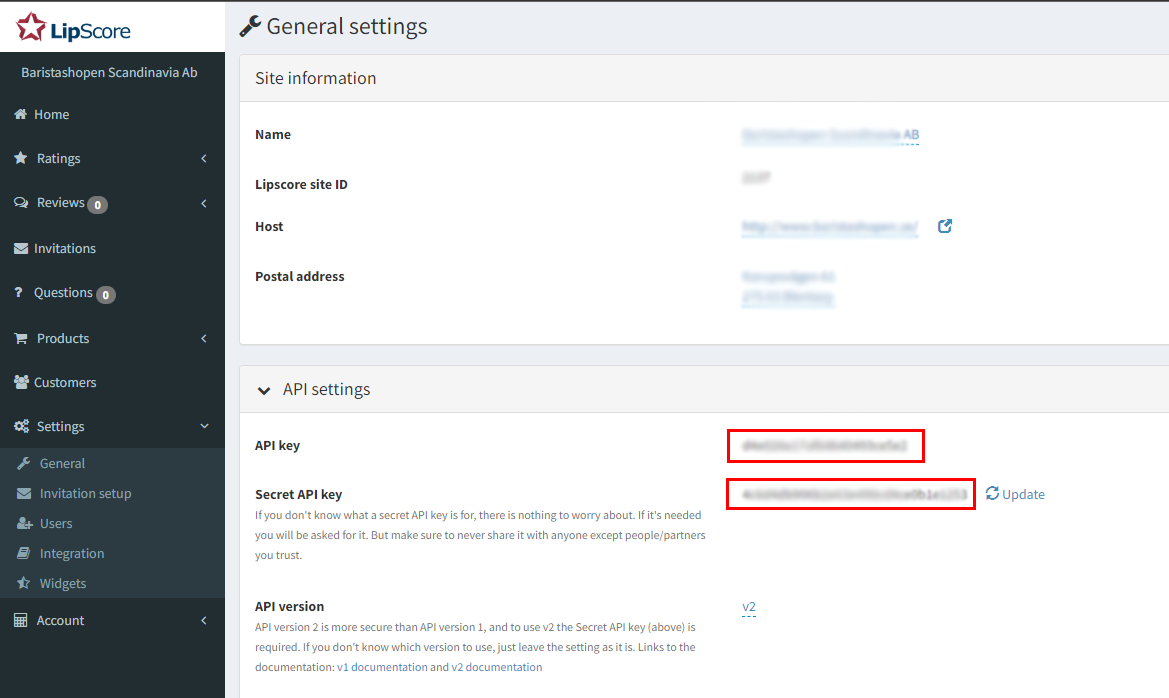
Enter "API key" in the "API key" field and "Secret API key" in the "Secret API key" field. Check the Active box and save. 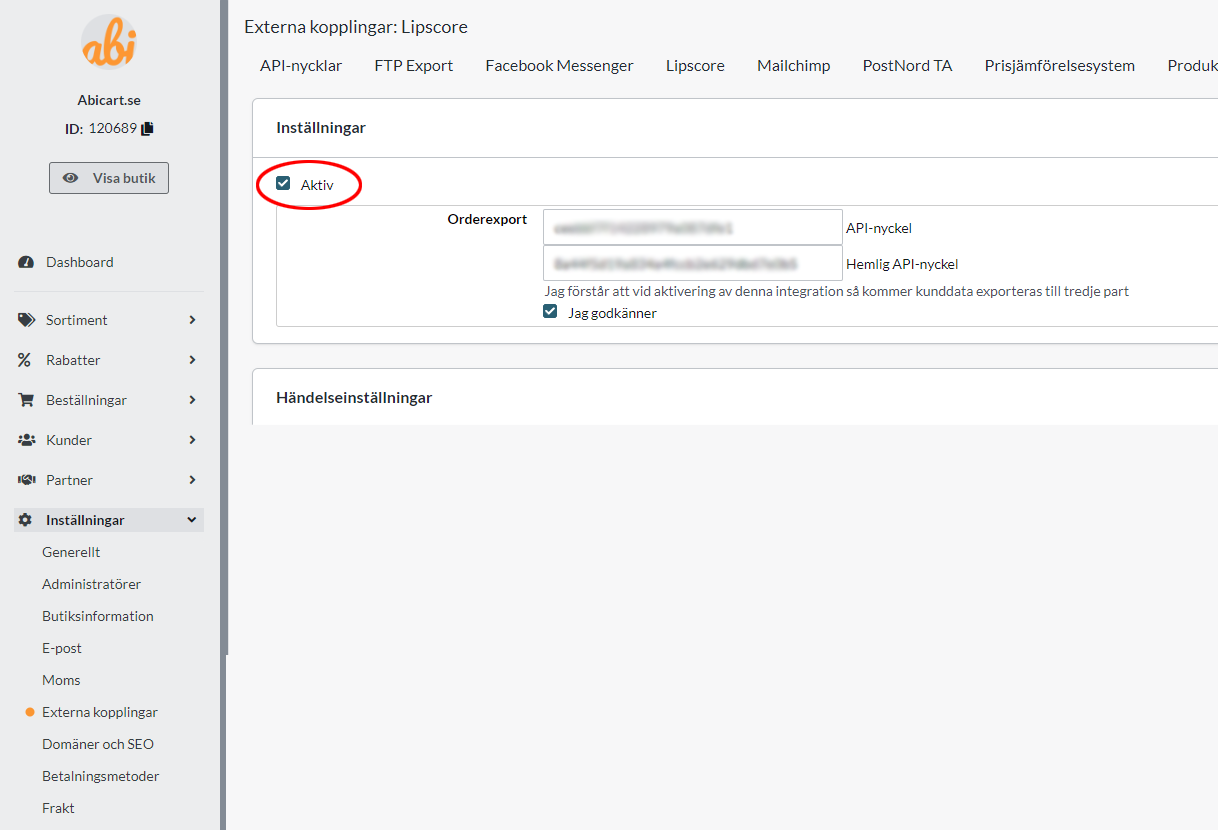
New settings will then appear under the heading "Event settings". Under "Activation" select "When the order has been sent" and under "Execution" select "Update directly". Then save.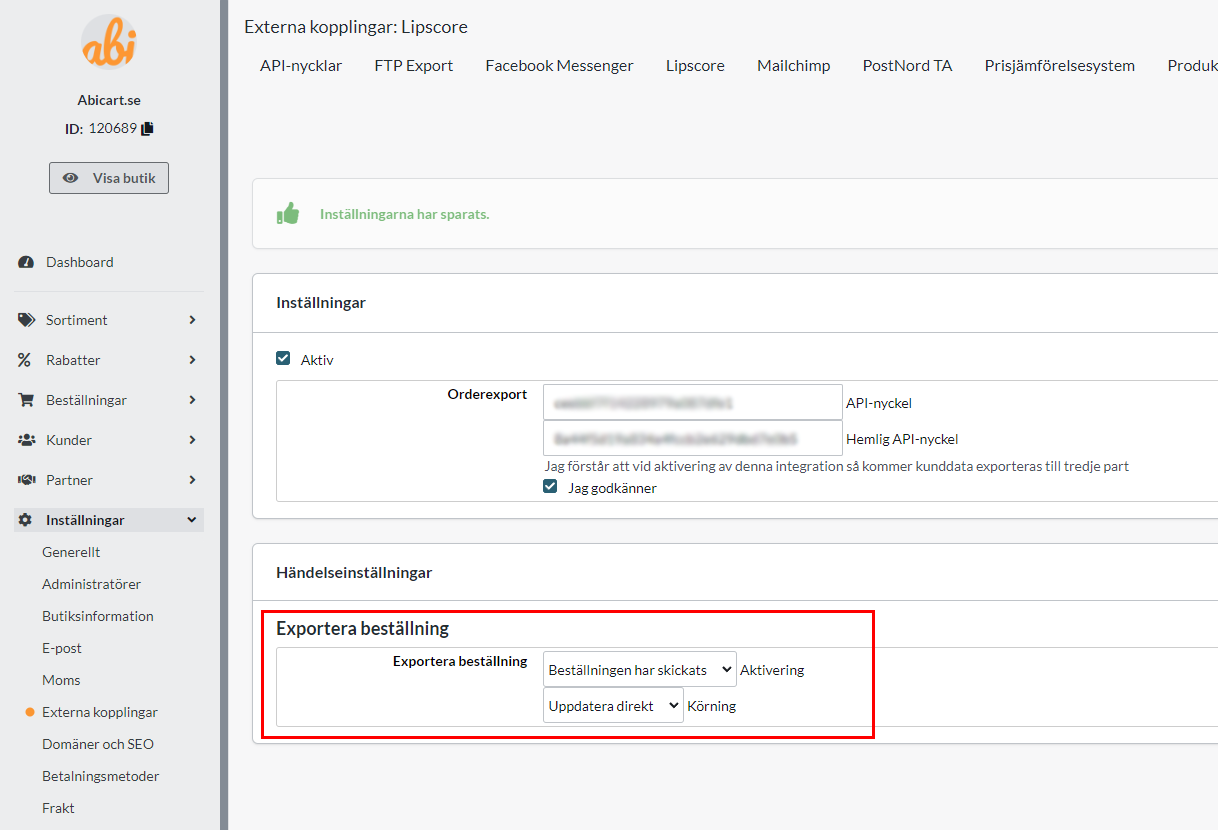
Now the integration to Lipscore is activated and all new orders will be exported to their system as soon as an order is placed.
You then manage your mailings in Lipscore's admin under Settings -> Invitation setup. For questions on how to do this, we refer to Lipscore's support.
Add display of reviews in the store
The start page
To add the Lipscore widget to the home page, go to the active theme. Appearance -> Themes -> select the theme, edit.
Under Content -> Home page, click on "Add block". 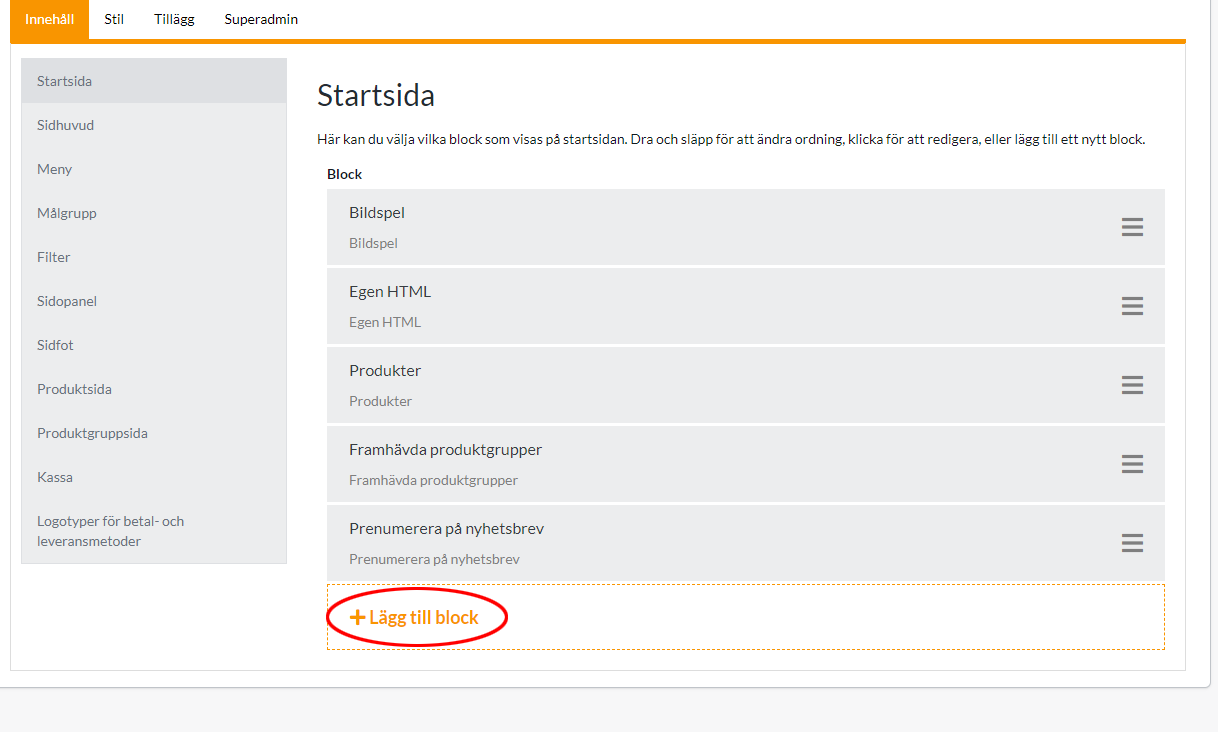
Locate the "Lipscore service review" box and click "Select".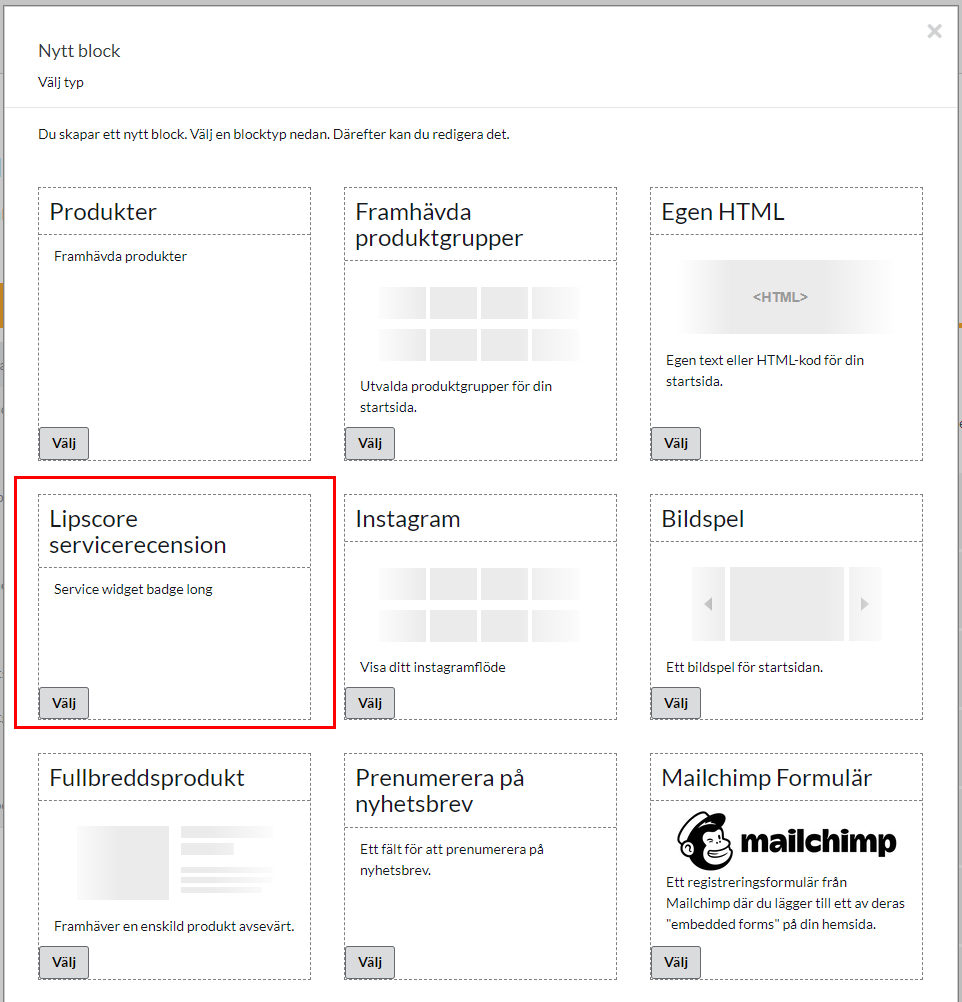

Then enter your API key from Lipscore in the field. You can find it in Lipscore's admin under Settings -> General Settings -> APIsettings -> API key.
It is possible to enter keys for different languages by clicking on the language files. Then click on done and save. 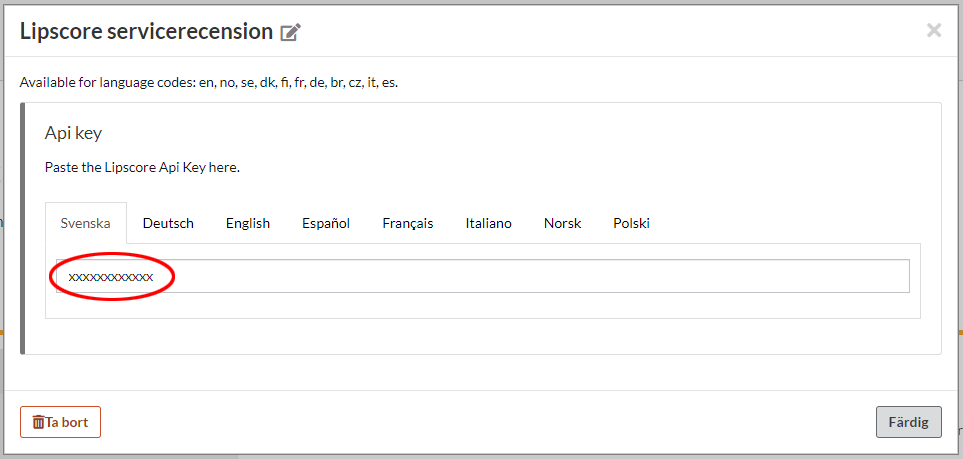
The block will end up at the bottom of the home page. If you want to move the block, you can select it, drag and then drop it in the position you want it.
Product page
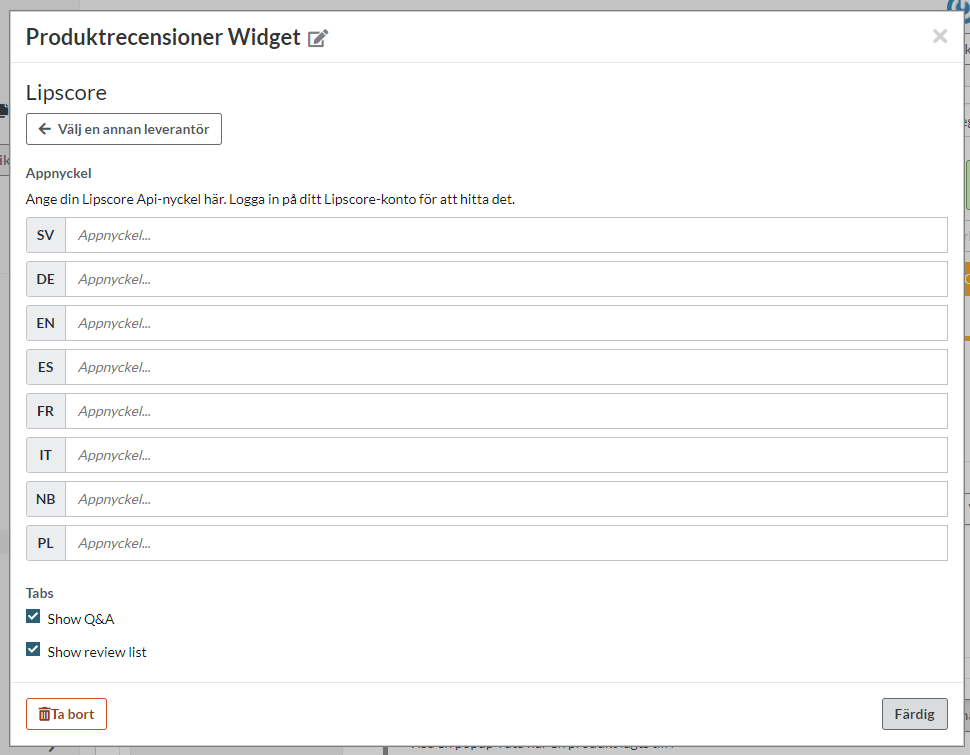
To enable the display of Lipscore reviews on the product page, you need to enable a setting on the theme. Appearance -> Themes -> select the theme, edit. Go to Content -> Product Page and scroll down to "Lipscore Rating Widget". Click on "Enabled". 
Then scroll down to the "Bottom of the product page" and click on "Add block".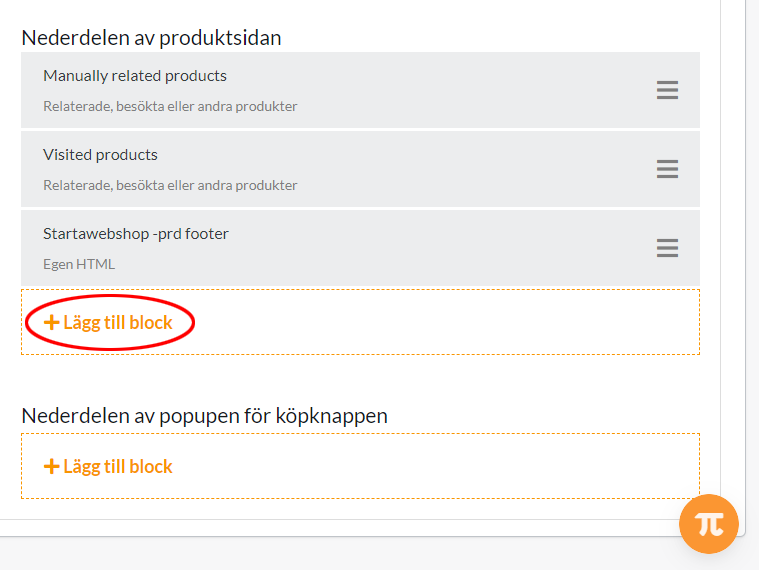
Select "Product Reviews Widget".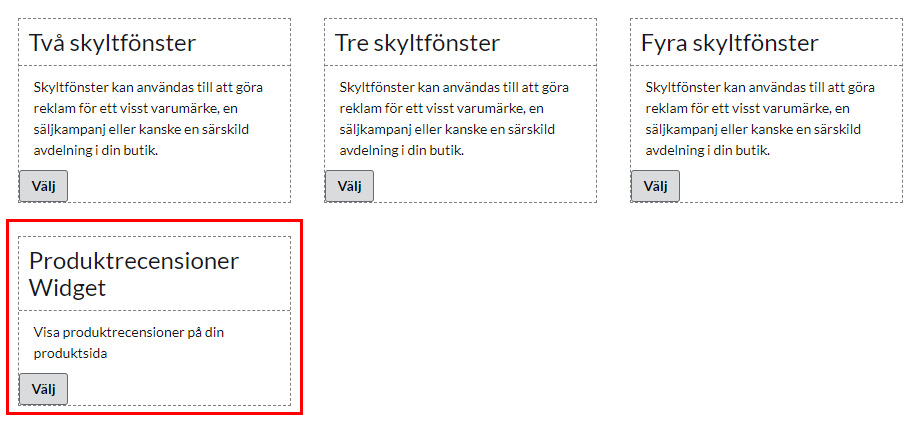
Select "Lipscore"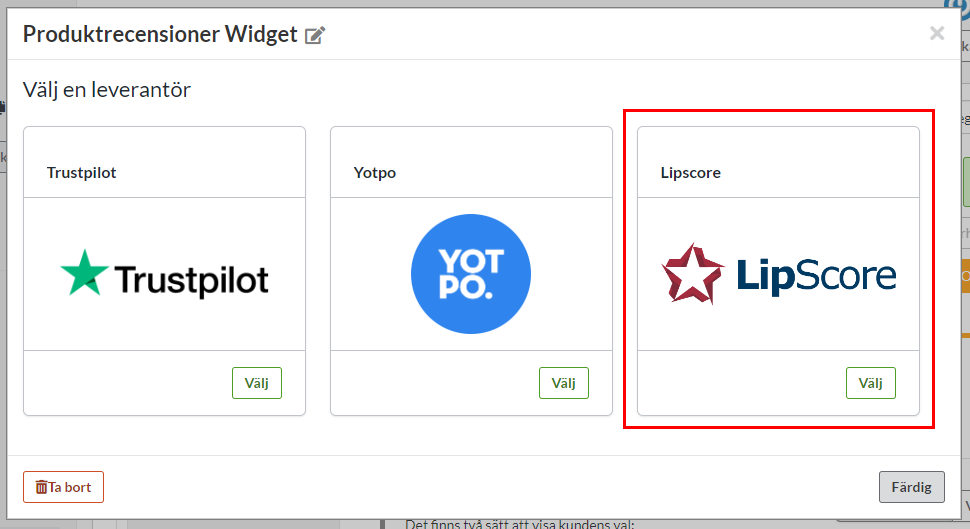
Then fill in the Lipscore API key in the languages you want to use. You can find it in Lipscore's admin under Settings -> General Settings -> APIsettings -> API key.
Click "Done". Then click the save button.